Neptune Cash ($NPT)
Neptune Cash is a mineable Layer-1 peer-to-peer privacy-preserving cash protocol featuring post-quantum security.
To find out more about $NPT go to https://neptune.cash/
Below is a guide how to mine Neptune Cash on OctaSpace.
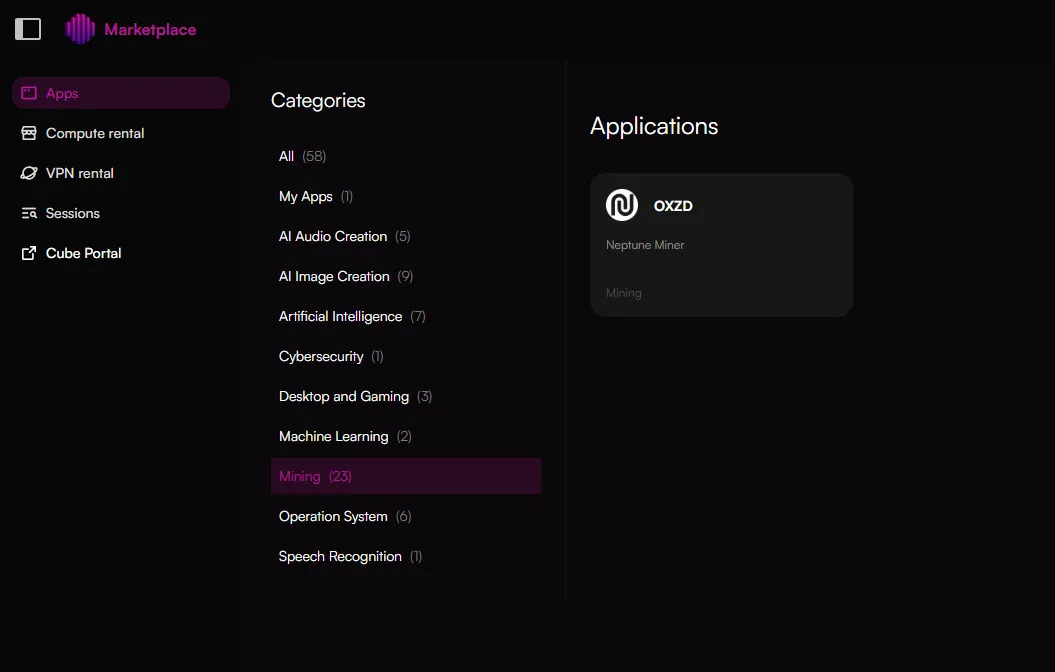
Select miner
Choose "Mining" category and select "OXZD"
Select node
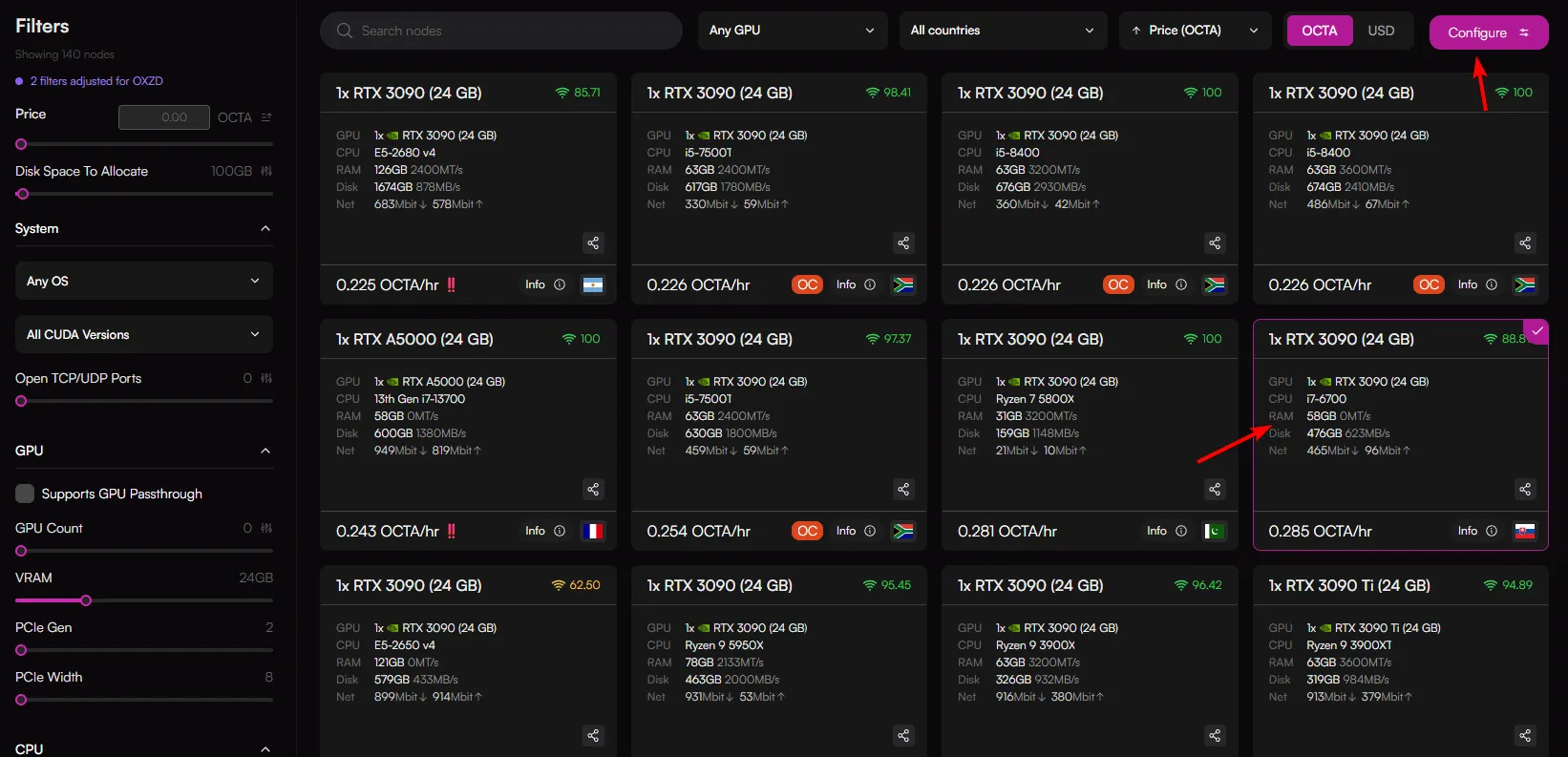
You will be redirected to the GPU selection page, choose a node that meets the minimum requirements for $NPT.
Minimum requirements:
GPU with 24GB VRAM.*
The marketplace will automatically filter nodes based on this requirement.
*Multi-GPU configurations are also supported.
Once you've chosen a node, click "Configure" in the top right hand side of the screen. Note: You can select multiple nodes if you wish to run mutliple miners.
Configure & Deploy
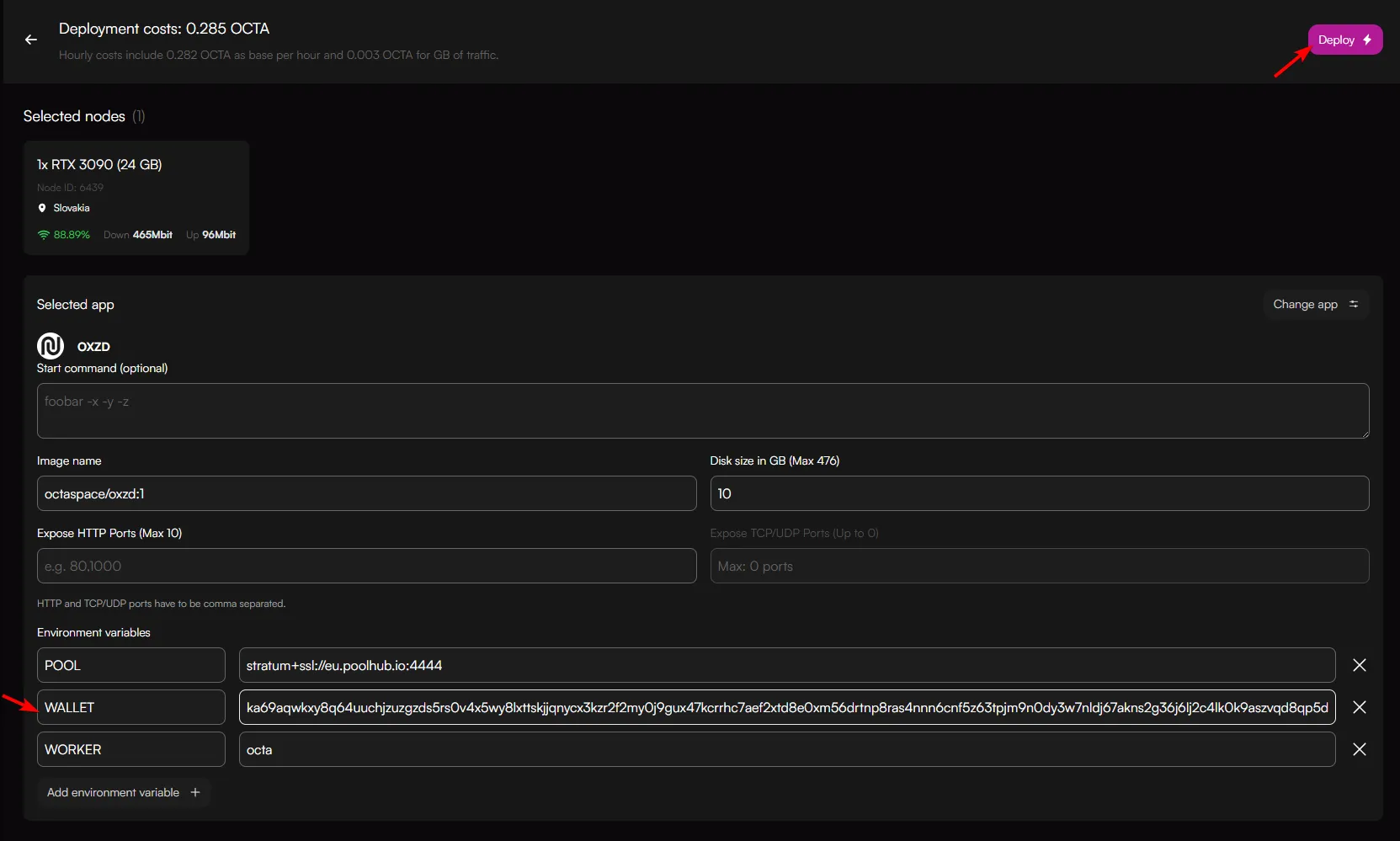
On the configuration page, paste the $NPT wallet address and click "Deploy".
You will initially see this, please wait until status "Service configured"

Monitoring
Once miner is running it will show "Service configured"

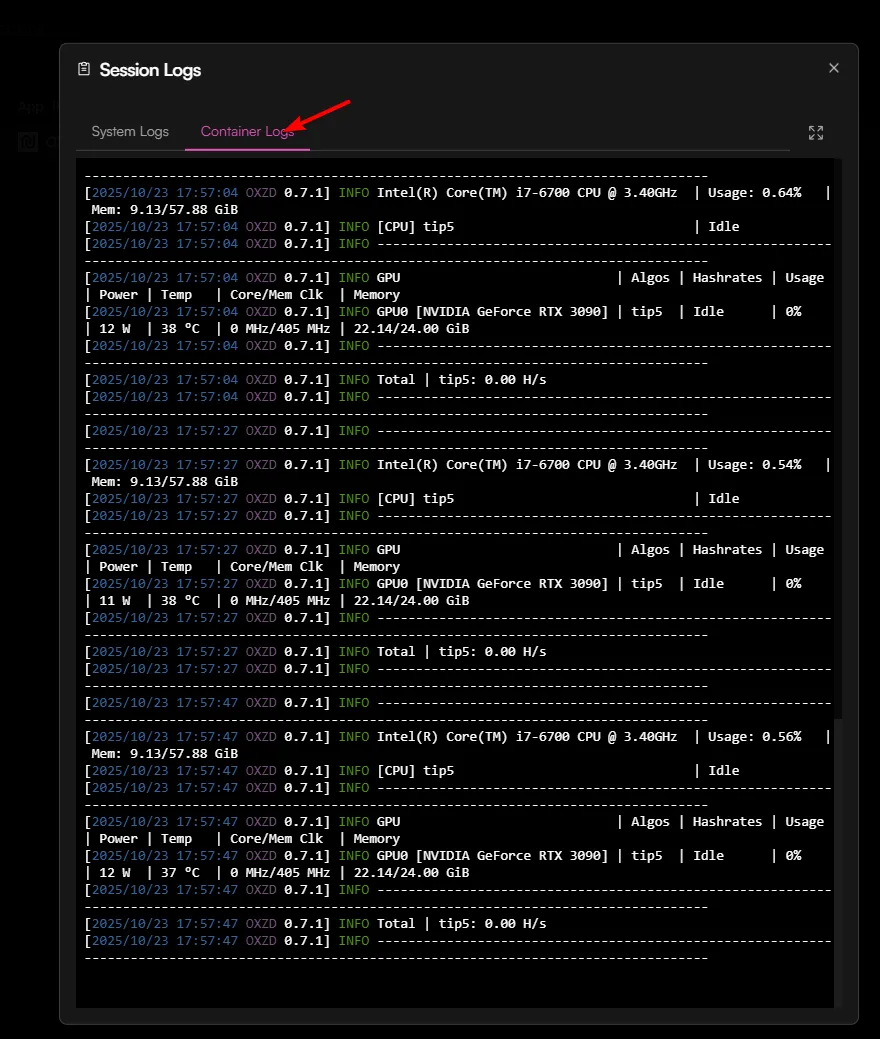
The miner should now be fully working. To check, click on the session, which will show a pop-up. Click on the clipboard icon.
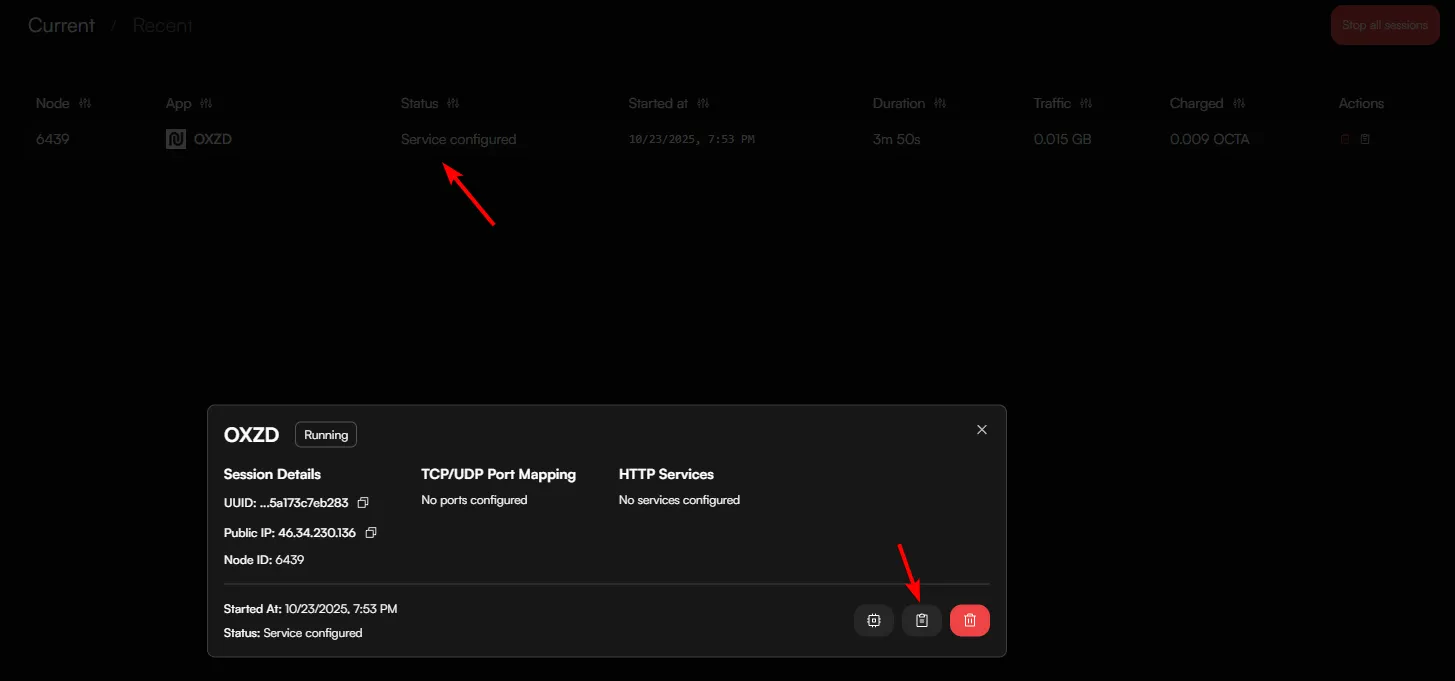
Then click on "Container Logs" to see the miner.
FAQ
Pool integration
By default the miner is configured to the pool:
This is where you can monitor progress.
Note: Minimum payout is 100 $NPT