Openclaw (Vanilla)
Instructions
OpenClaw can be found in the marketplace (https://marketplace.octa.space/) under the section Artificial Intelligence.
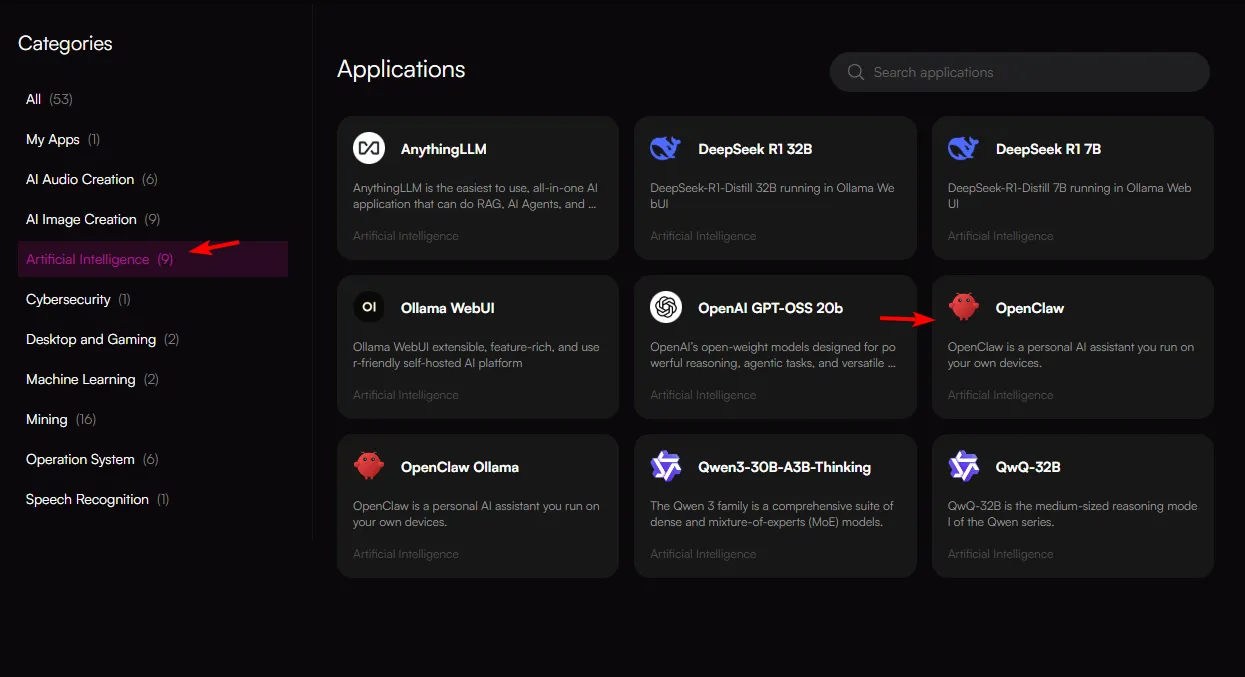
When on that page, click the app OpenClaw and you will be redirected to the node selection page.
On the node selection page, choose a node that meets your needs/cost and click the "Configure" button.
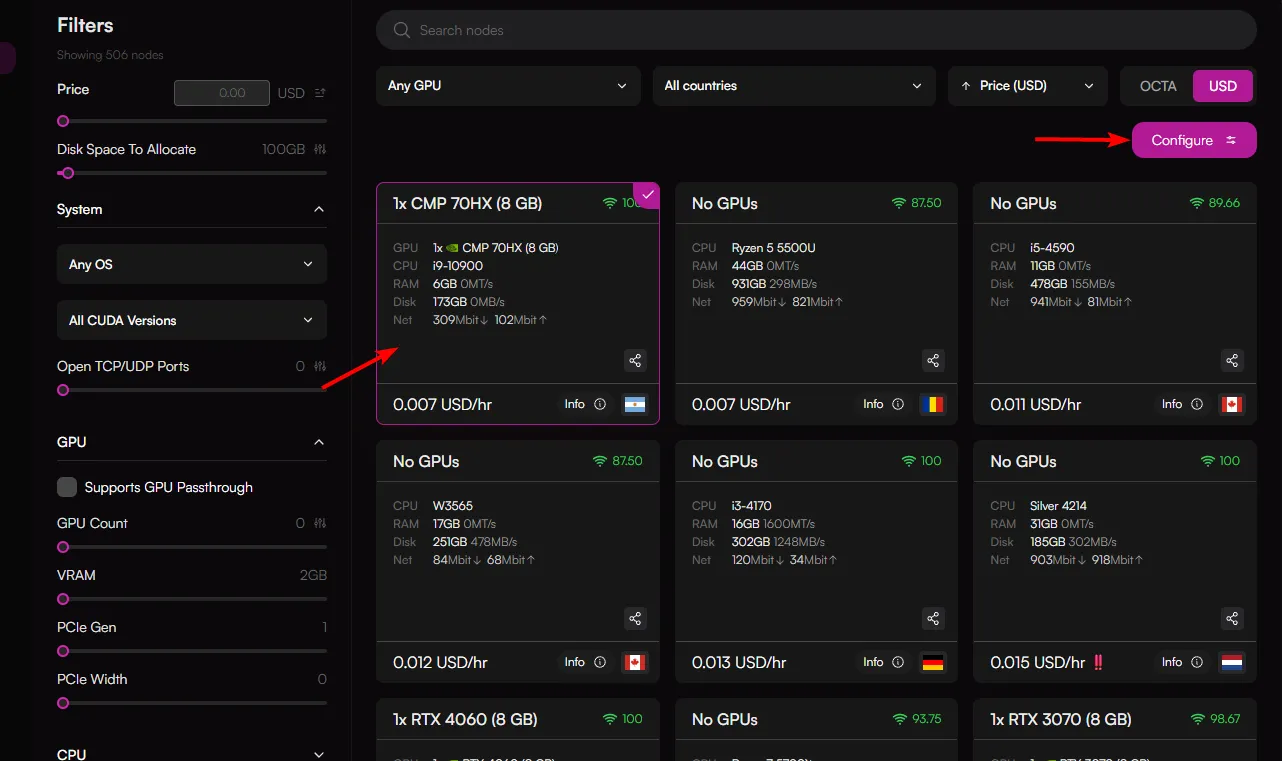
Minimum requirements for OpenClaw (Vanilla version): 1–2 vCPUs, 2 GB of RAM (4 GB recommended for smooth operation), and 500 MB to 20 GB of storage
You will then be redirected to the deployment page.
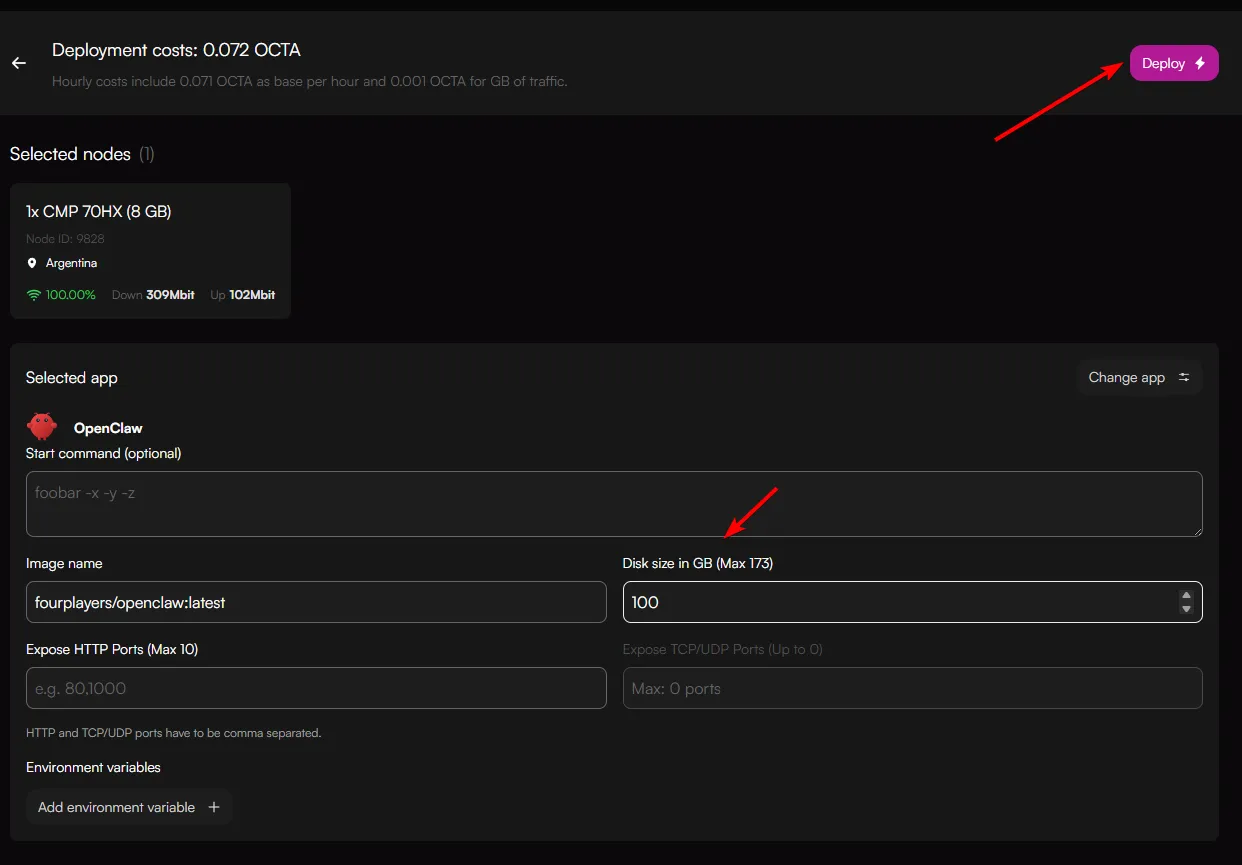
Once you're ready to launch, set the disk space allocation and click "Deploy".
It will initially pull the image. Wait until Status indicates "Service configured"

Click on that session, this will load a small pop-up window.
Here you can click on 2 items:
- HTTP services (OpenClaw user interface)
- Access Web SSH (Web SSH terminal)
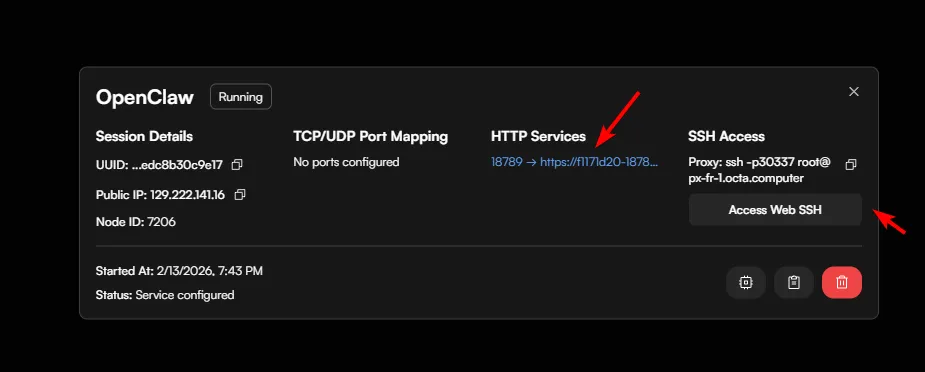
Start with the OpenClaw UI terminal first by clicking on the HTTP services button
This will show the OpenClaw User interface. Click on the Overwiew menu option.
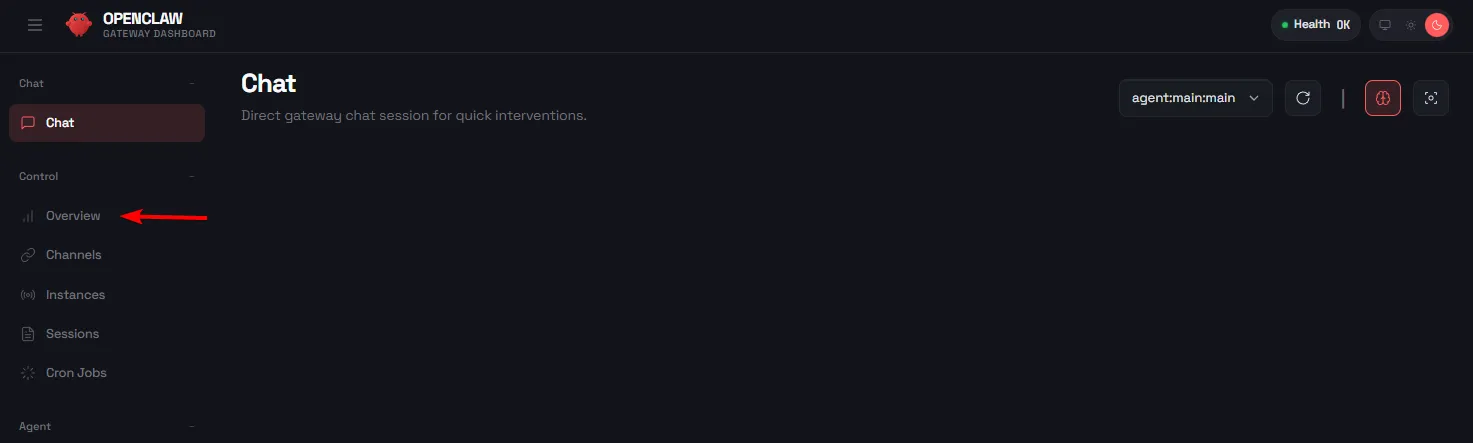
In the Overview menu option, make sure "Status" shows "Connected"
Next you will need to run the onboarding process. Go to Advanced configurationsAdvanced configurations and follow onboarding steps.