Pluralis node
Launching miner
To begin farming Pluralis on Octa you will need to do the following:
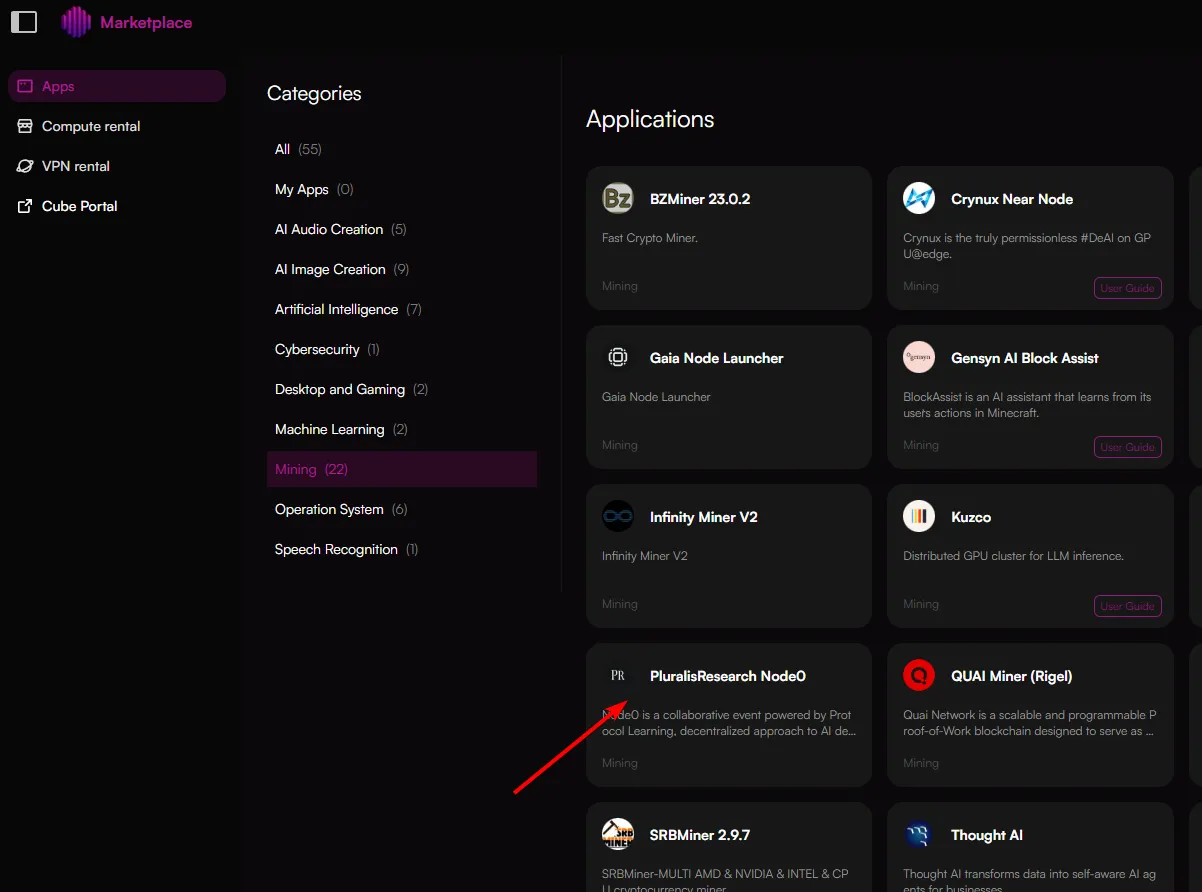
Choose "Mining" category and select "PluralisResearch Node0"
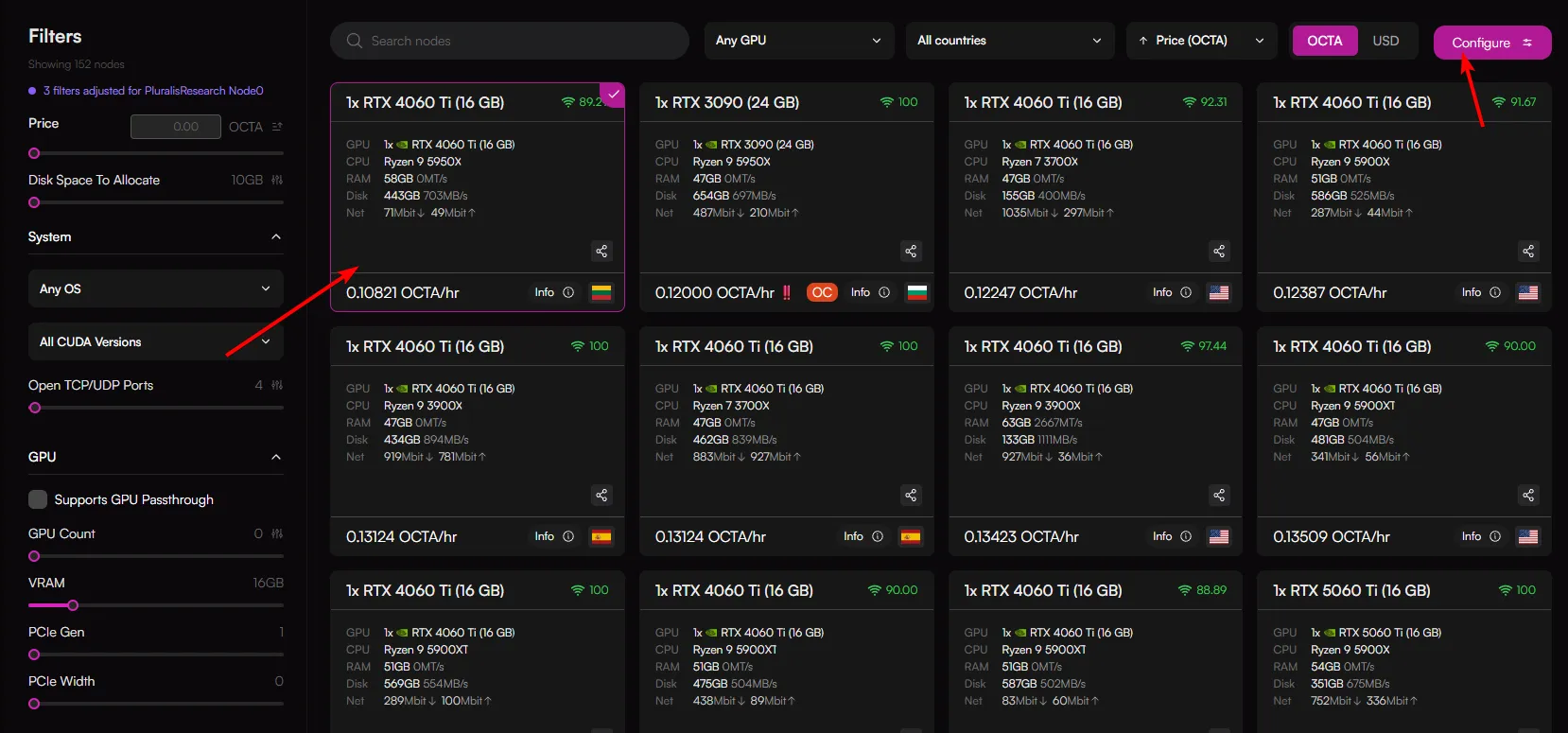
You will be redirected to the GPU selection page, choose a node that meets your needs.
The minimum requirements for running a Pluralis node are:
- GPU with 16GB VRAM
- 32 GB RAM
- 80-100 GB Disk
- 16 Cores CPU
- At least one port open
OctaSpace will auomtatically apply filters for Pluralis and display all compatible nodes.
Once you've chosen a node, click "Configure" in the top right hand side of the screen.
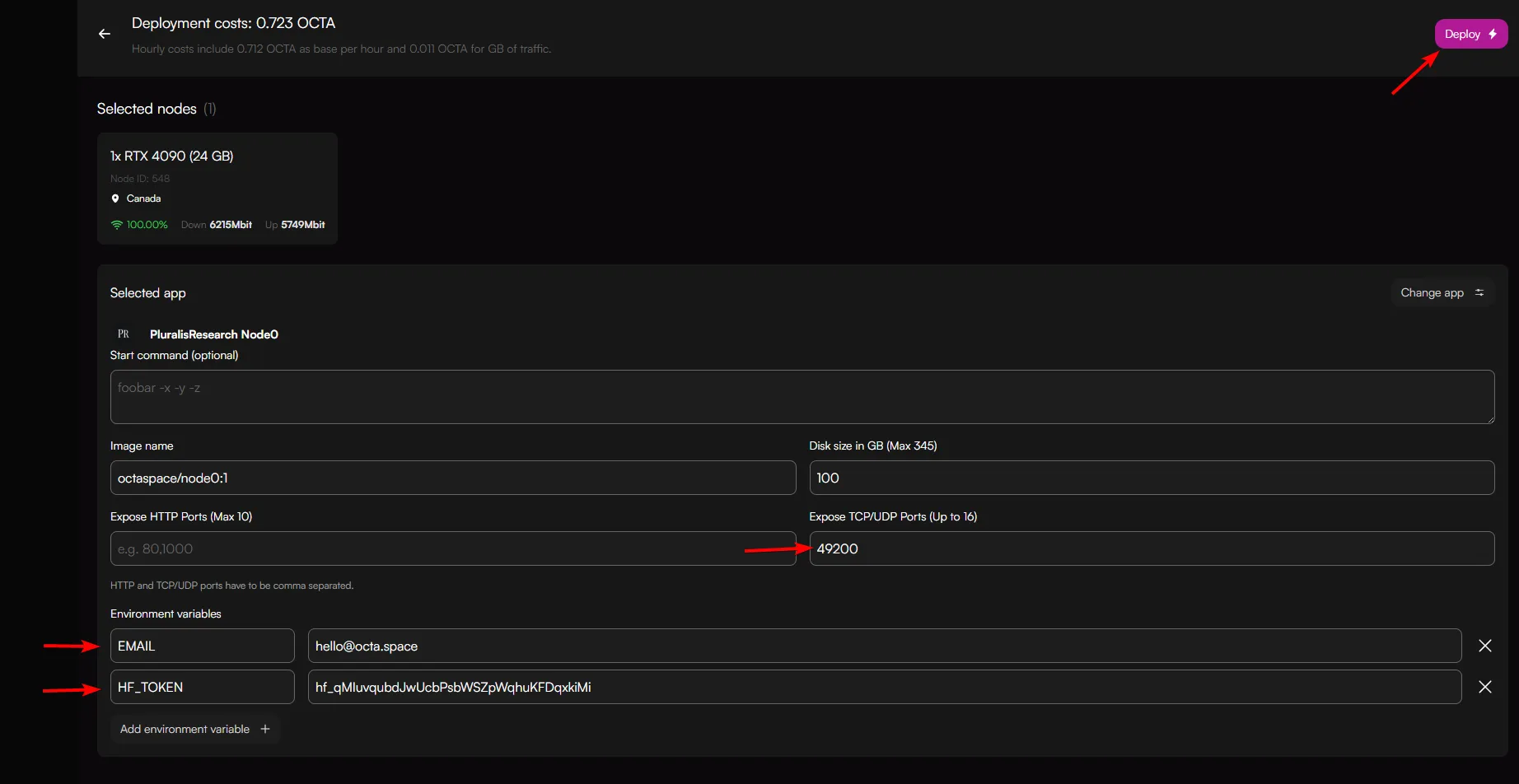
You will be redirected to the configuration screen. You will need to add the following:
- Email address in EMAIL field
- HuggingFace token in HF_TOKEN field
Then click Deploy.
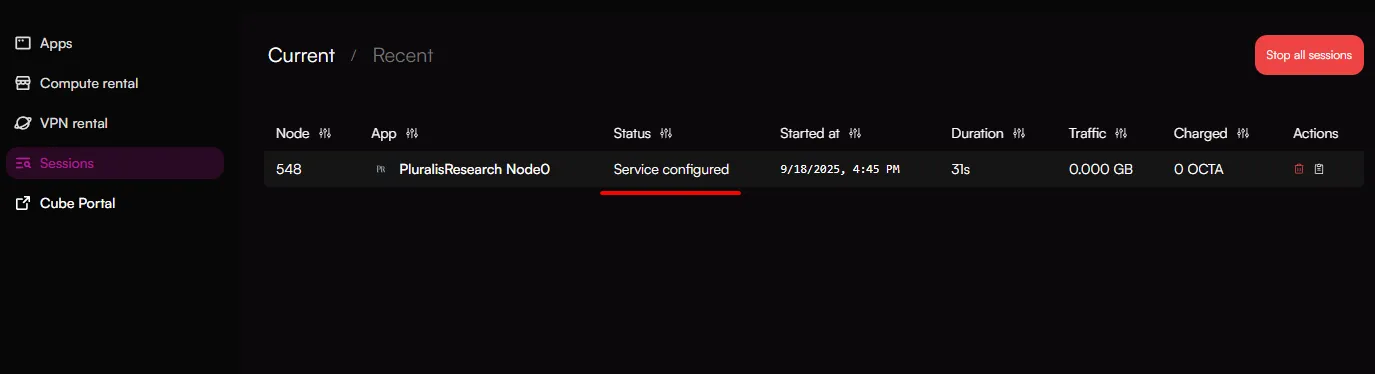
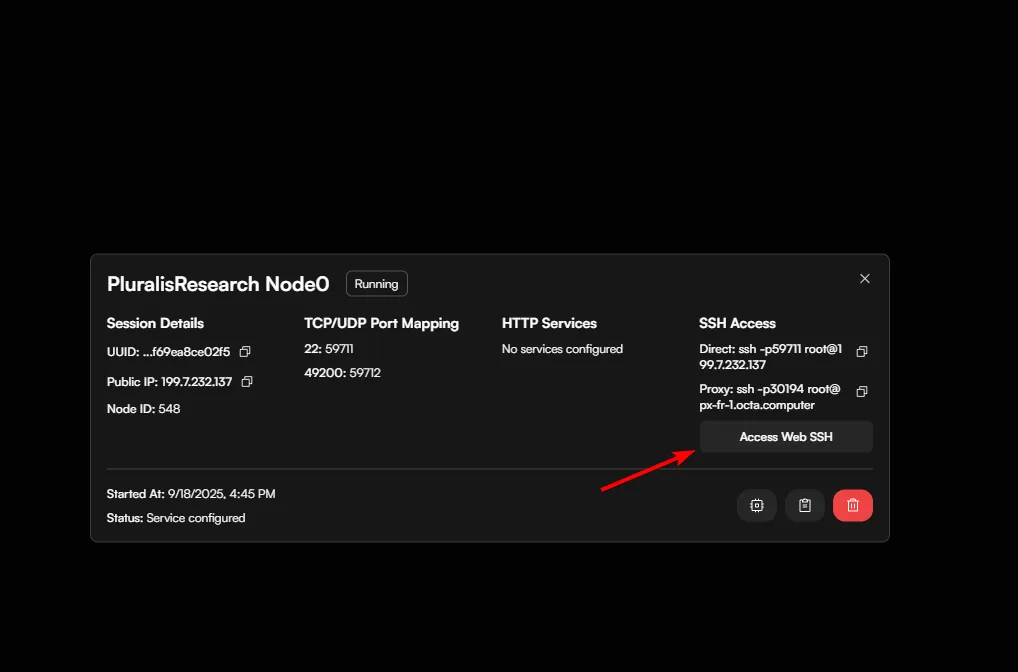
You will be redirected to the sessions screen. Wait until status displays "Service configured".
Note: It may take some time for the service to launch, this is dependent if the node has run the service previously and speed of the network. Users are not charged while waiting for the service to start.
Once the service is configured, click on the session. You will see a pop-up. Click "Access Web SSH"
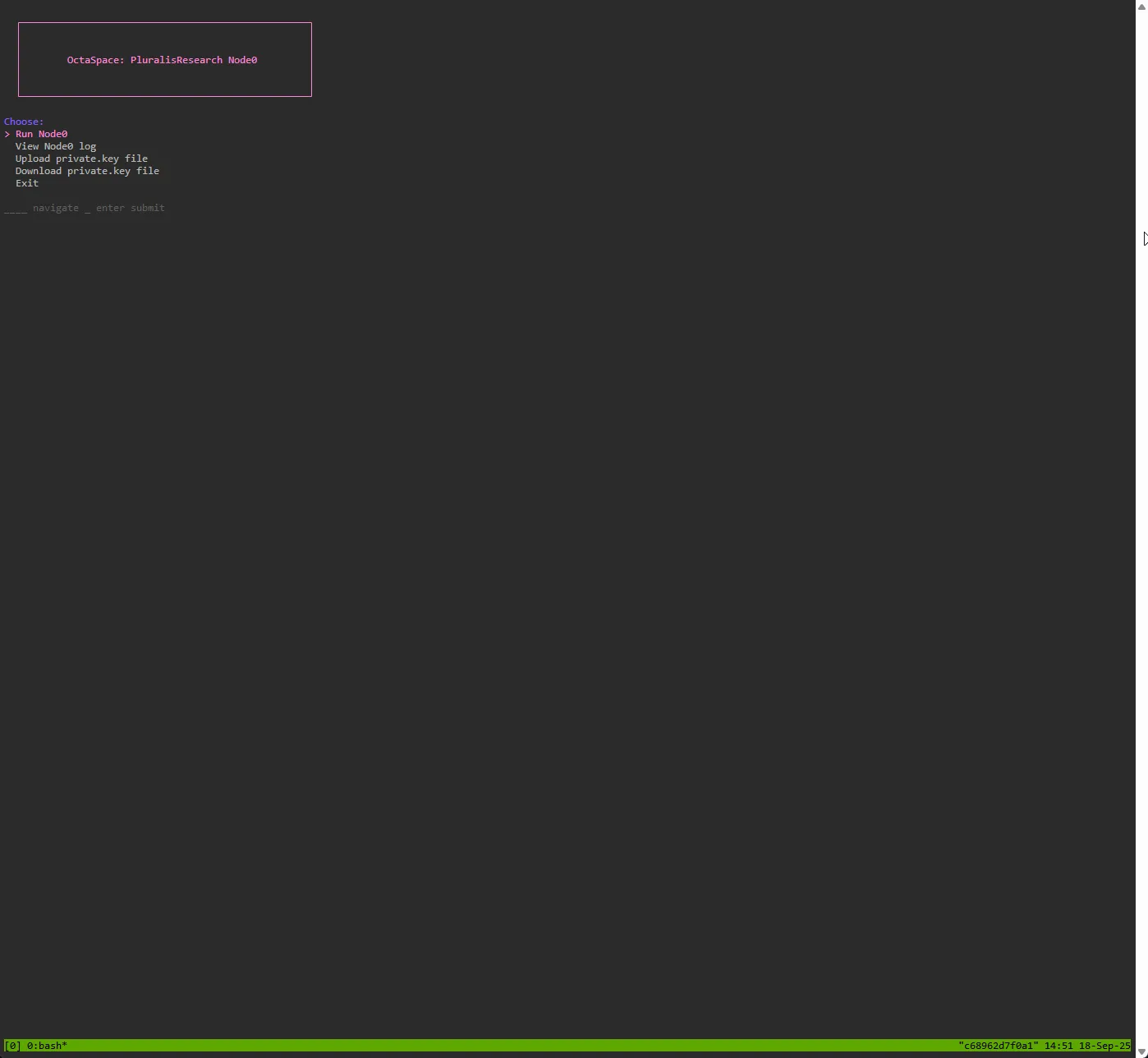
This will show a terminal screen with menu options.
FAQ