Quai
Mining Quai on OctaSpace is very straightforward
Go to the OctaSpace marketplace https://marketplace.octa.space/
Select "Mining" category and choose "QUAI Miner (Rigel)"
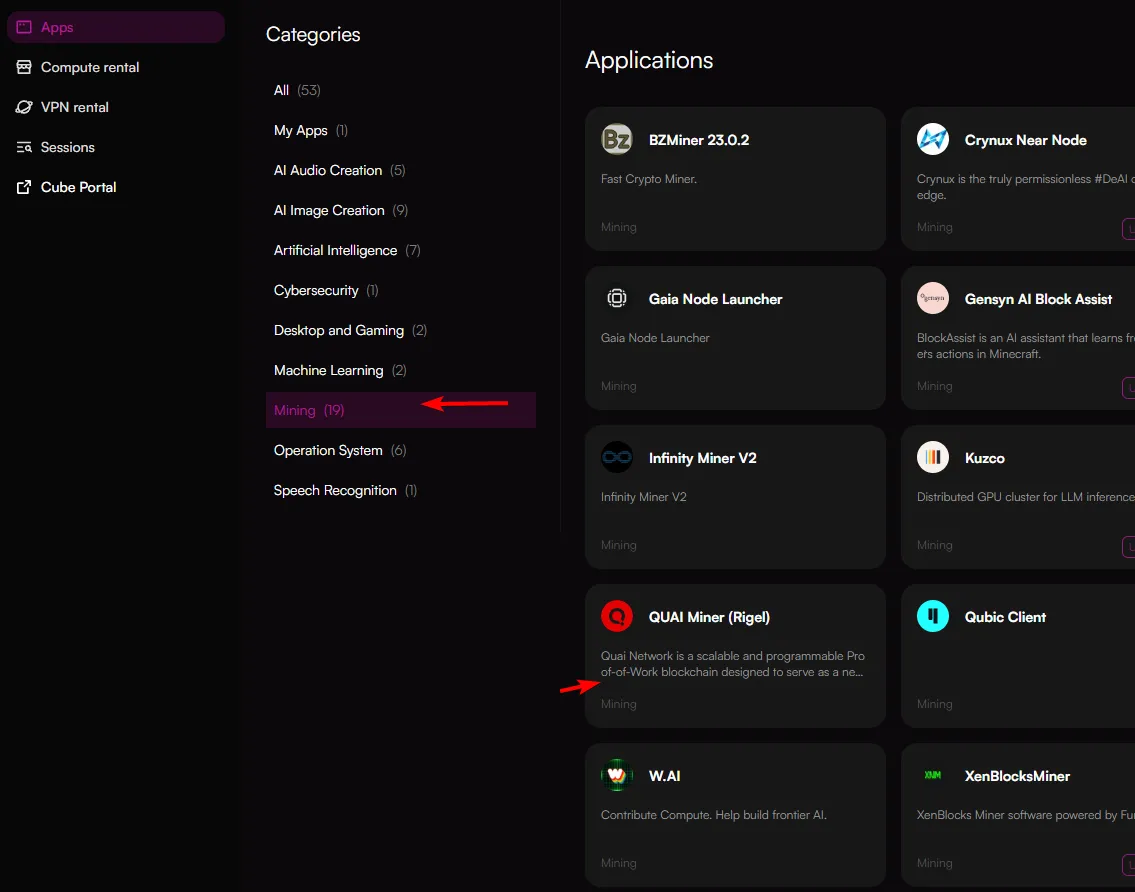
You will be redirected to the node selection page. Here you can filter nodes based on your needs.
Use the filters across the top and left hand side to refine your selections.
Quai is a GPU based algorithm, hence choose a node with a GPU.
A list of hashrates can be found here: https://www.hashrate.no/coins/QUAI/benchmarks/.
You can choose one or more nodes to rent. Once you've made a selection, click "Configure".
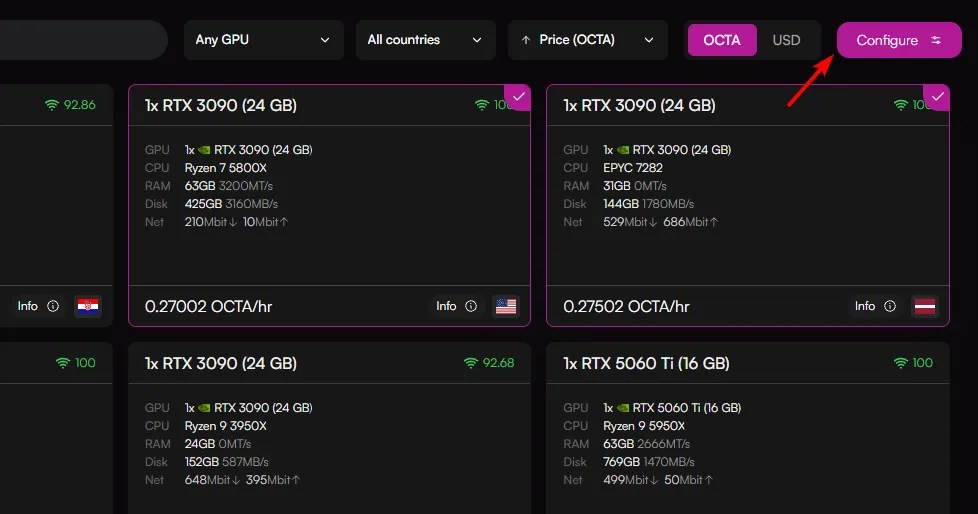
You will then be redirected to the Configuration page. Here you will need to specify POOL and WALLET variables, WORKER variable is optional:

Once you've entered all the relevant details, press the "Deploy" button.
You will be redirected to the sessions page. To monitor the miner and logs, you can click on the session. This will load up a pop-up. In the pop-up click the "Access Web SSH" and this will display the miner.

You can also watch this video for a quick guide: