OpenClaw (Ollama)
The OpenClaw Ollama flavor is our privacy-first, "all-in-one" deployment. Unlike the Vanilla version that relies on external cloud providers, this version runs entirely on your OctaSpace instance. It features a built-in AI model that handles all reasoning, file operations, and task execution without ever sending your data to a third-party API.
Powering the Agent: GLM-4.7-Flash
For this version, we have integrated GLM-4.7-Flash as the core intelligence engine. We chose this model specifically for its balance of speed and "agentic" capabilities.
While many smaller models struggle to follow complex instructions, GLM-4.7-Flash excels at tool calling the process where the AI decides to actually click a button, run a script, or search a file rather than just talking about it.
Why choose this version?
- Total Data Sovereignty: Since the model is hosted locally via Ollama, your messages, code, and sensitive documents never leave your environment.
- Zero Hidden Costs: You don't need to sign up for Anthropic, OpenAI, or Google Cloud APIs. There are no per-token fees or monthly AI subscriptions.
- High Performance: GLM-4.7-Flash is optimized for low-latency responses, making your autonomous agents feel snappy and responsive even during complex workflows.
- Minimal Configuration: This setup is ready to begin tasks out of the box with very little manual intervention required.
Instructions
OpenClaw Ollama can be found in the marketplace (https://marketplace.octa.space/) under the section Artificial Intelligence.
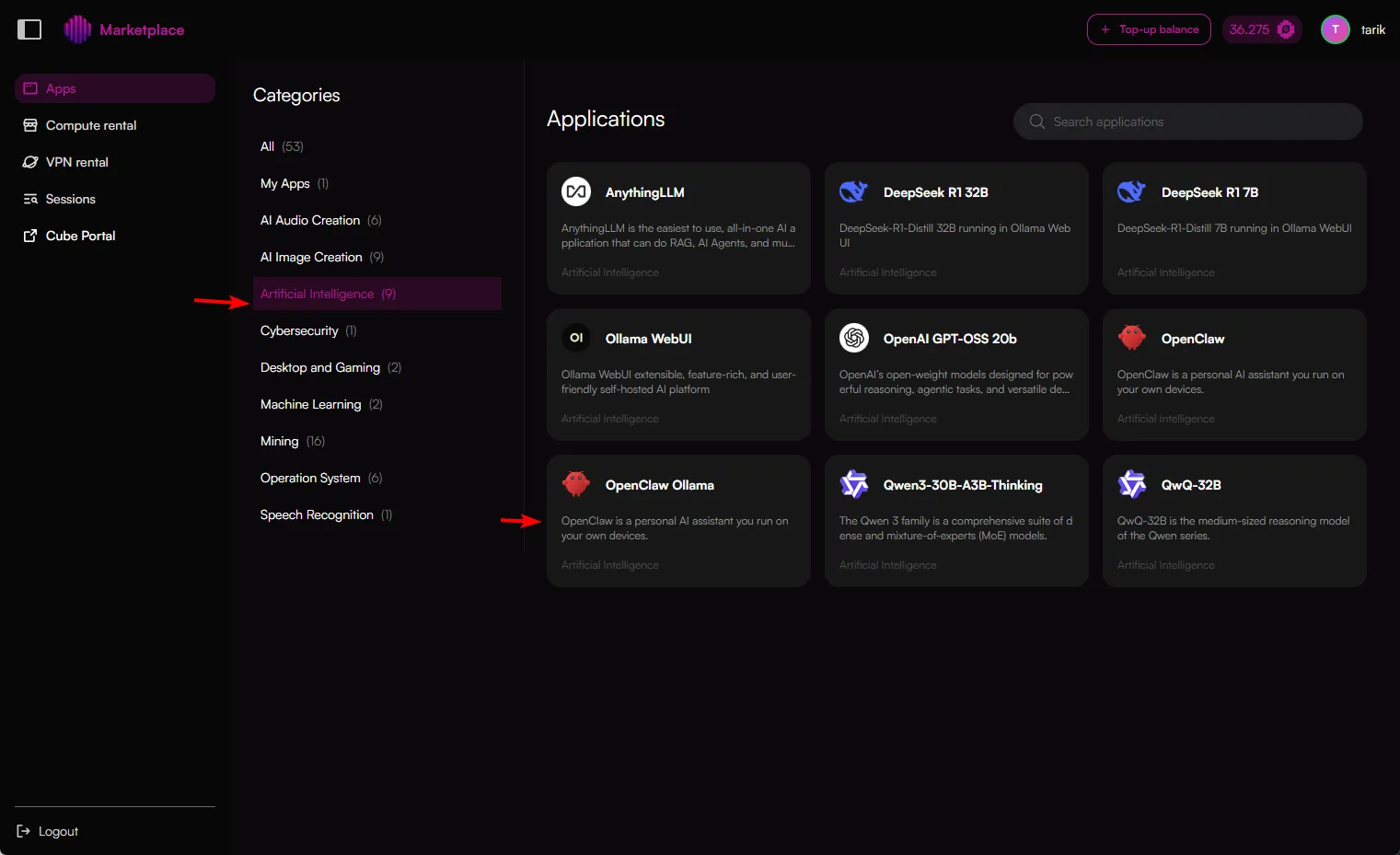
When on that page, click the app OpenClaw Ollama and you will be redirected to the node selection page.
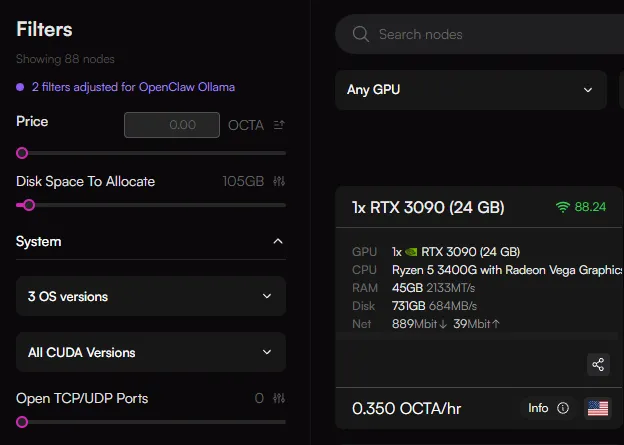
OpenClaw Ollama requires a node with minimum 24GB VRAM available and 100GB of disk space.
When you launch the app, filters are automatically set to show you all compatible nodes.
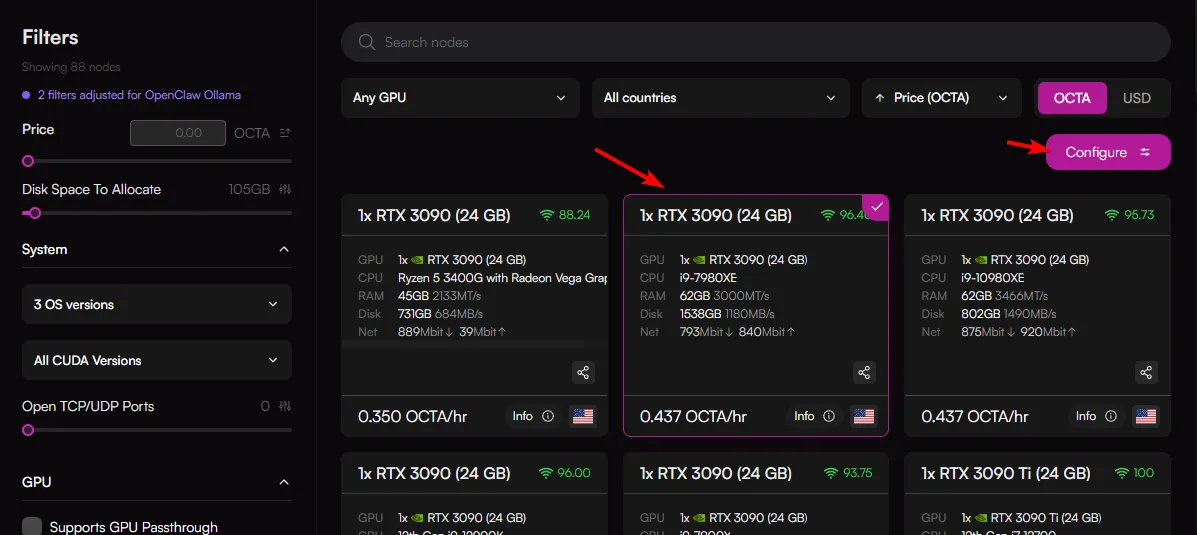
On the node selection page, choose a node that meets your needs/cost and click the "Configure" button.
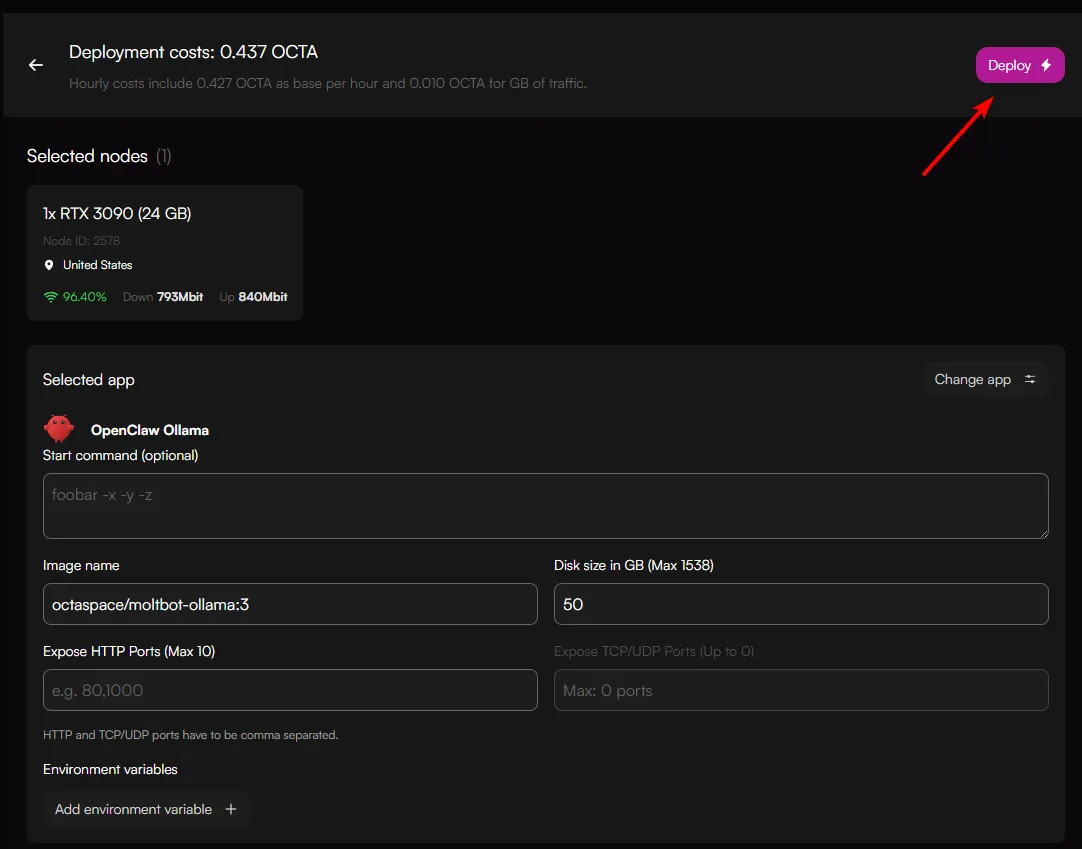
You will then be redirected to the deployment page.
If you do intend to use external API's, it is possible to already set them using the "Add environment variable" button, otherwise if you're ready to launch, set the disk space allocation and click "Deploy".
It will initially pull the image. The image is 19 GB, so wait time for the service to be ready heavily depends on the network speed of the node. Wait until Status indicates "Service configured"

Once it is ready it will say "Service configured"
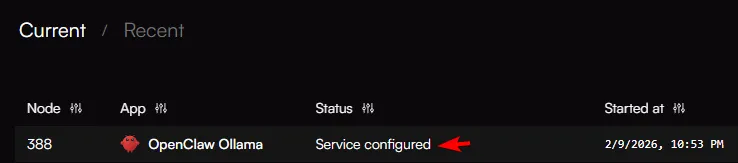
Click on that session, this will load a small pop-up window.
Here you can click on 2 items:
- HTTP services (OpenClaw user interface)
- Access Web SSH (Web SSH terminal)
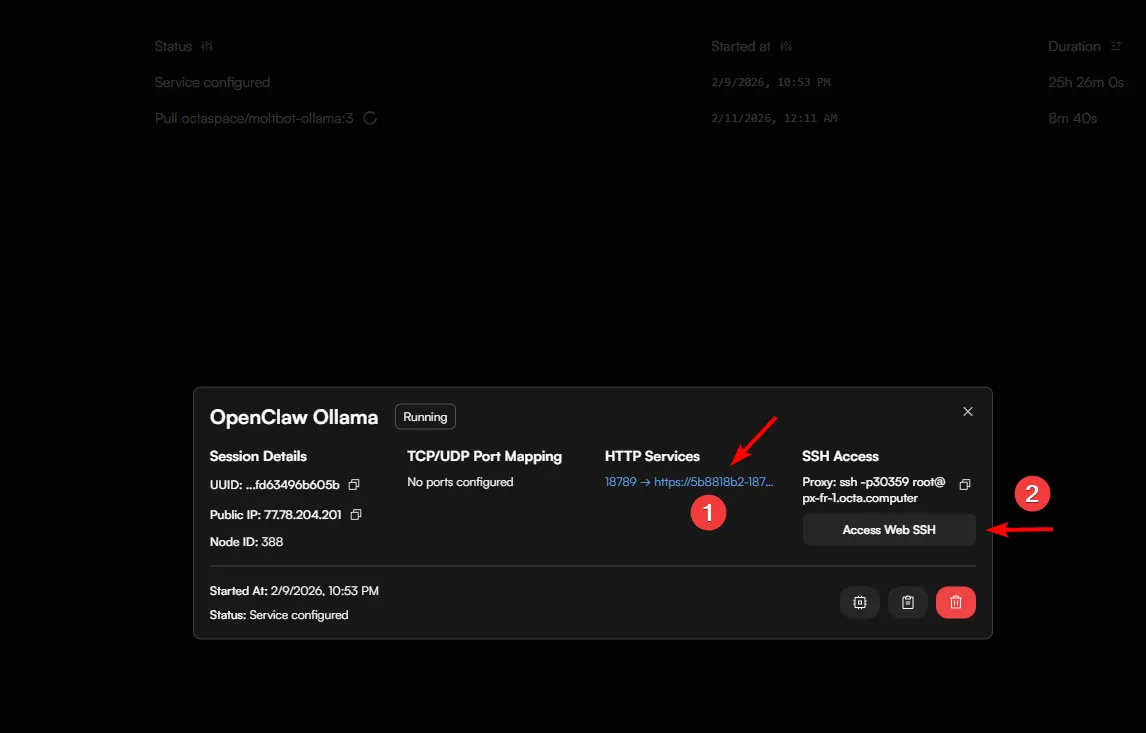
Start with the OpenClaw UI terminal first by clicking on the HTTP services button
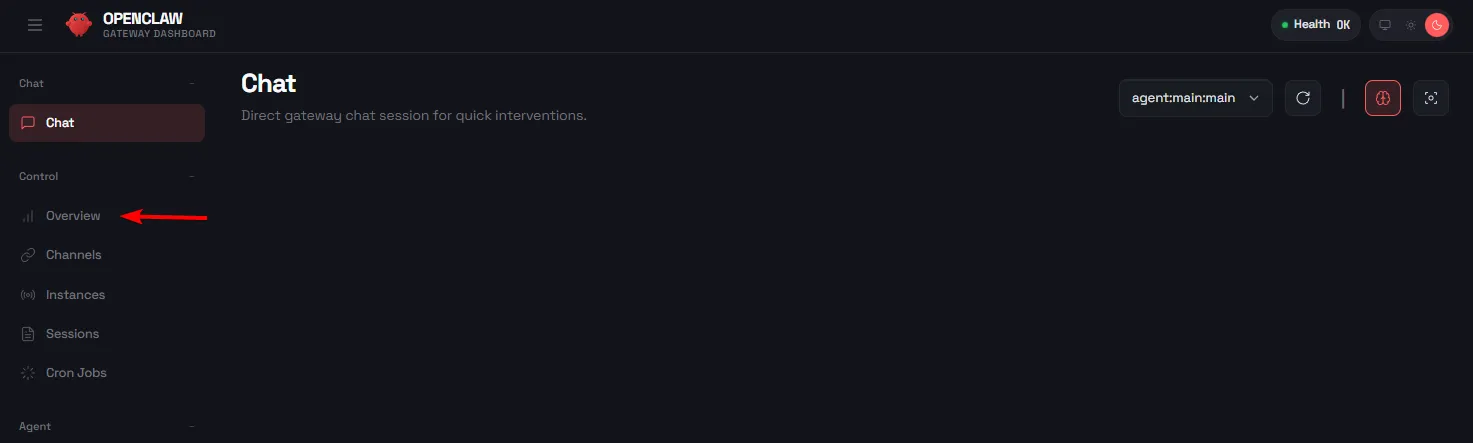
This will show the OpenClaw User interface. Click on the Overwiew menu option.
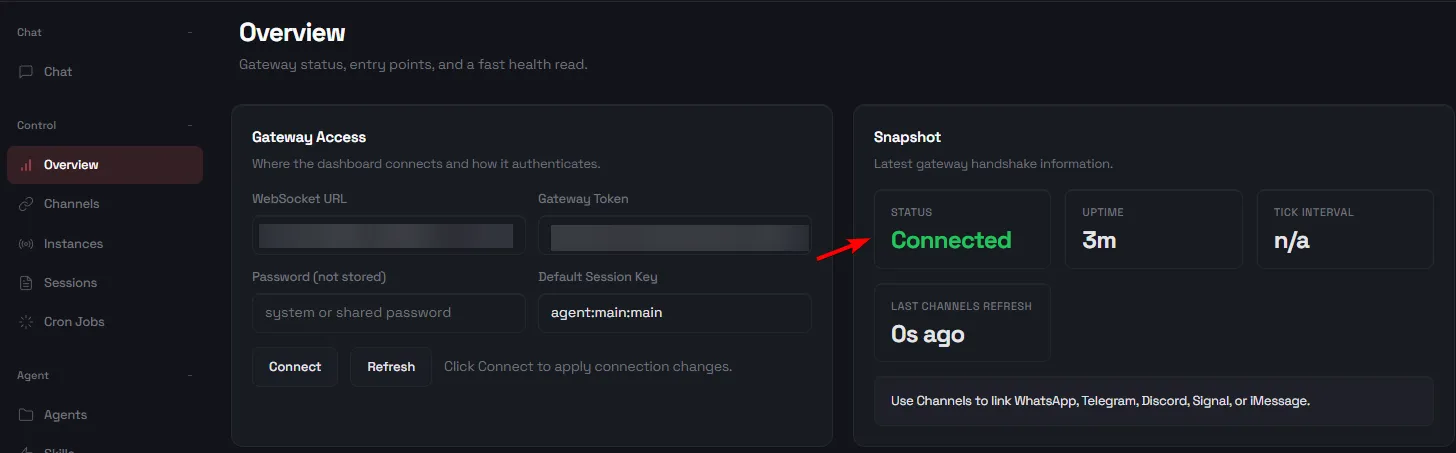
In the Overview menu option, make sure "Status" shows "Connected"
You can now click the "Chat" menu option and begin to use OpenClaw.
While it is now ready for use, we strongly recommended adding some advanced configurations to OpenClaw to take full advantage of it's capabilities.
You can find the link here: Advanced configurationsAdvanced Configurations