Telegram Bot
@OctaSpaceCubeBot is a tool for monitoring nodes, receiving system notifications, and managing VPN connections.
Link Account
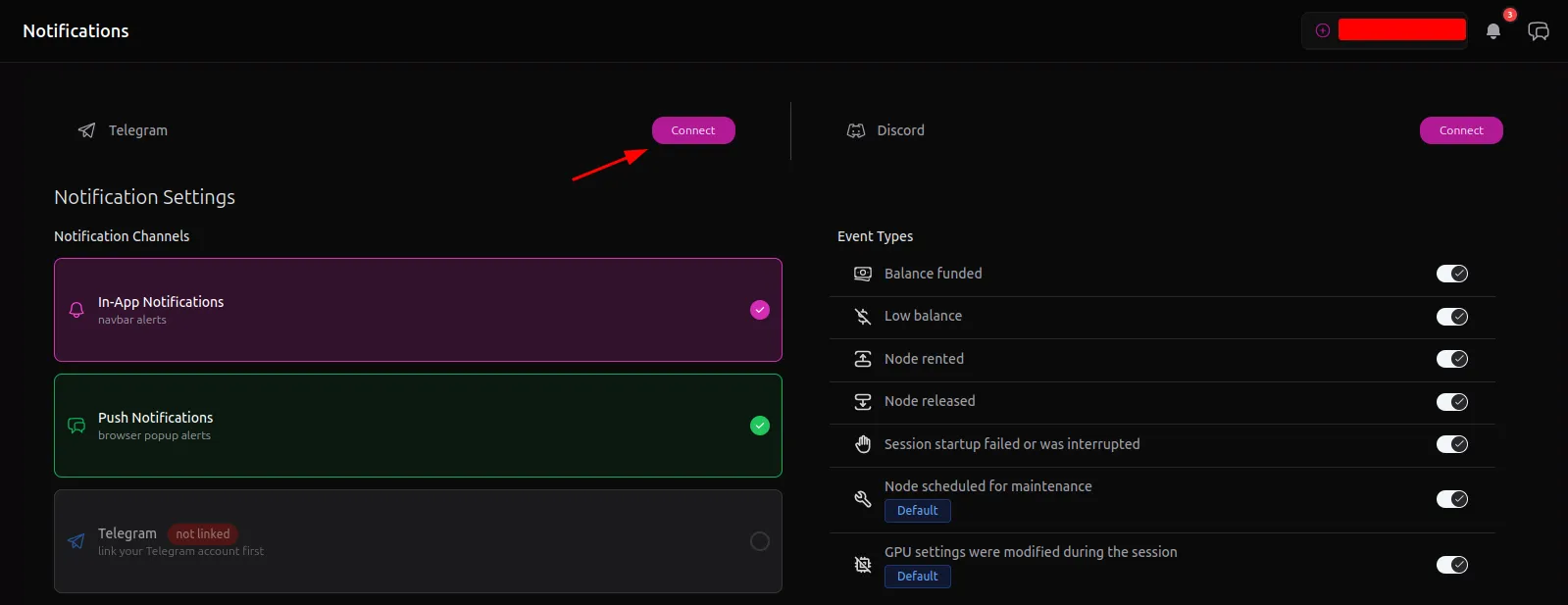
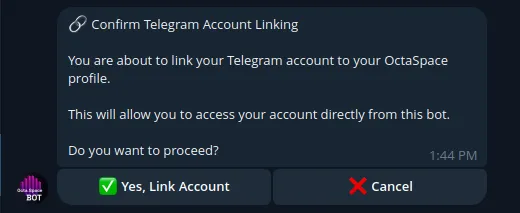
Before you begin, link your Telegram account in CUBE. Open Notifications, click the Connect button and confirm.
System Notifications
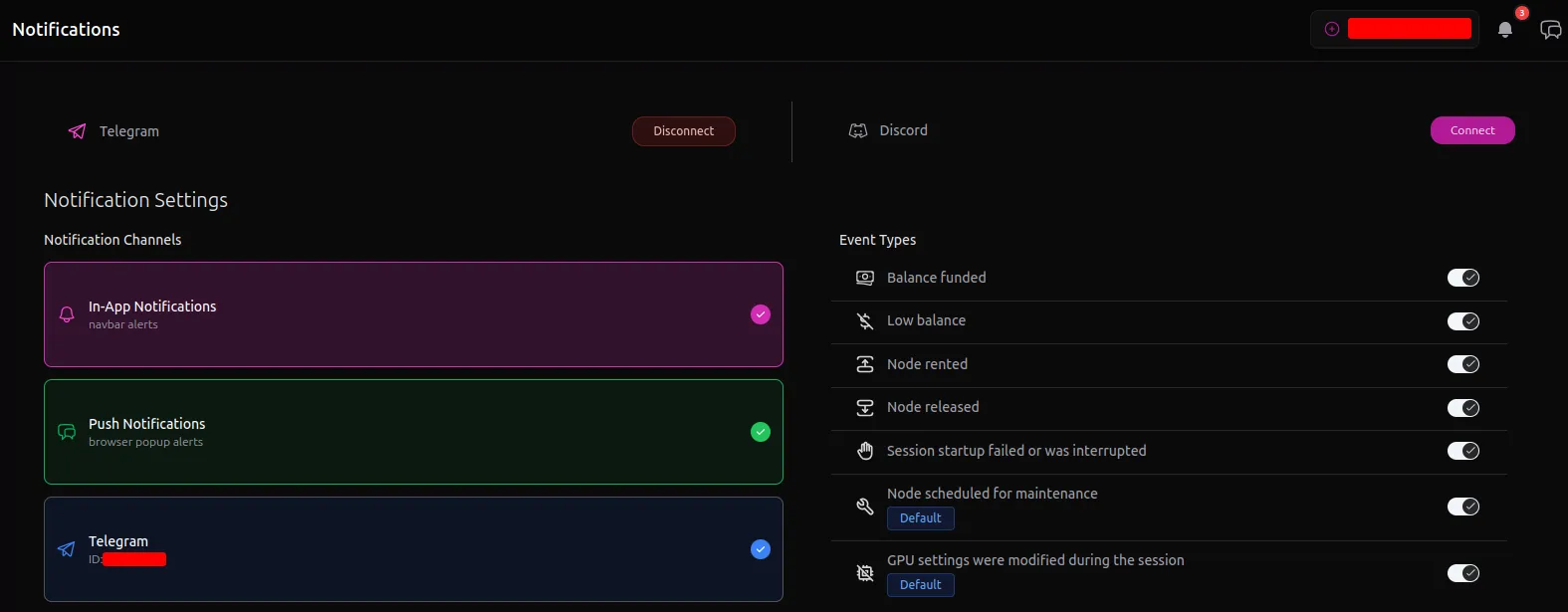
Here is a list of system events:
- Balance funded - notifies you when a deposit is received
- Low Balance - notifies you when you have active sessions and your balance is running low.
- Node rented/released - notifies you when one of your nodes is rented or released
- Session startup failed or was interrupted
- Node scheduled for maintenance - notifies you when the node owner enables maintenance mode on a node you are currently using. This helps prevent unexpected termination of your tasks on that node
- GPU settings were modified during the session - to prevent fraud, the system can detect changes to GPU settings such as power limits or core/memory clock values made by the node owner during your active session and notify you of these changes
The Telegram bot is currently in beta mode, so some events may be temporarily unavailable.
Telegram VPN
Using this bot, you have full access to the VPN service provided by the OctaSpace platform. This is useful in cases where access to the marketplace is unavailable due to blocked HTTP traffic (for example, government restrictions), while Telegram remains accessible.
To begin click the Create VPN button it will show the list of available countries
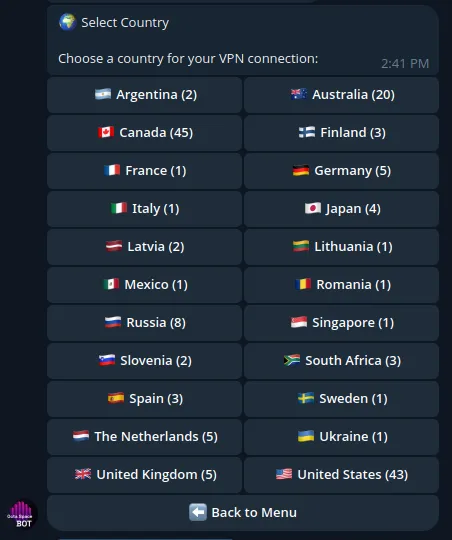
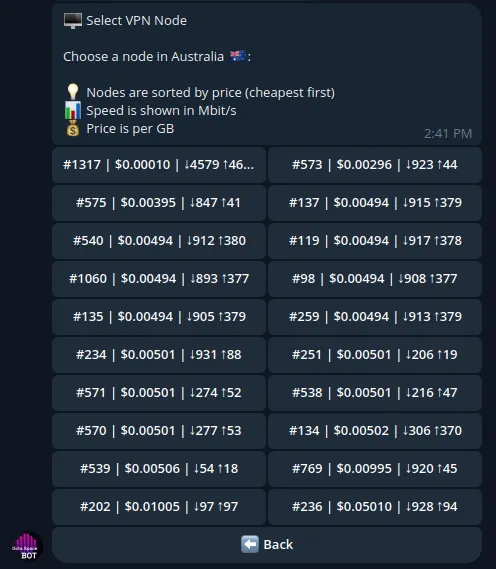
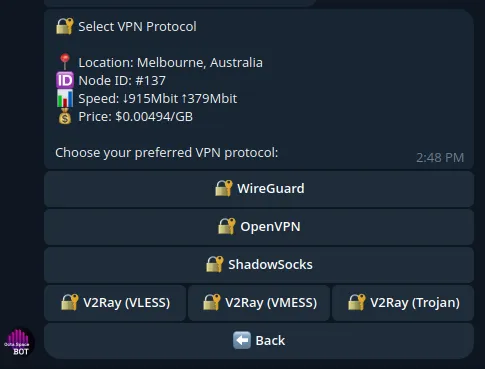
Next, select one of the available nodes in the desired country, choose the VPN protocol you want to use, and start the session
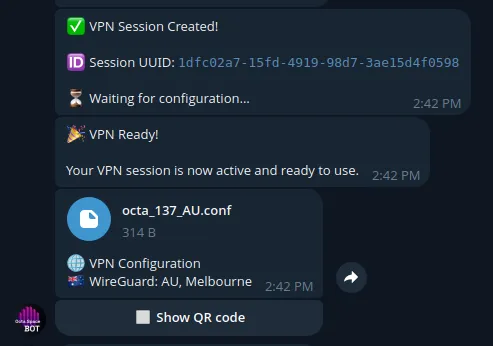
Once the session is created, you can download the configuration file and set up the VPN tunnel using your VPN client.