SSH via Putty
Accessing your session via PuTTY is straightforward. Follow these steps to configure your connection:
Launch PuTTY: Open the PuTTY client on your computer.
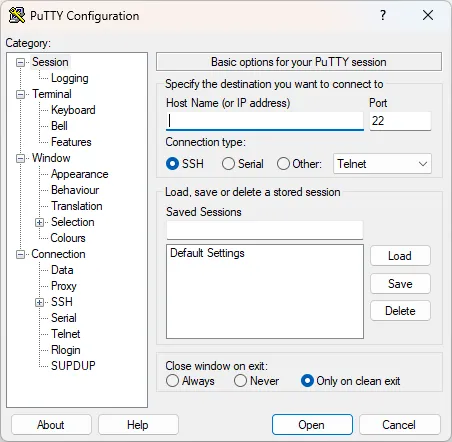
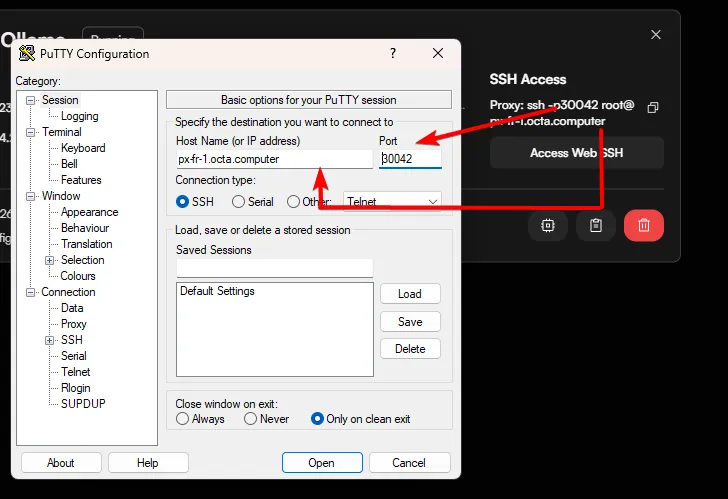
Enter the Host Name: In the Host Name field, enter the address provided in your session details.
Note: Do not include "root@" in this field. For example, if your details show [email protected], only enter px-fr-1.octa.computer.
Update the Port: Replace the default port 22 with the specific port number provided on your Sessions page (e.g., 30042).
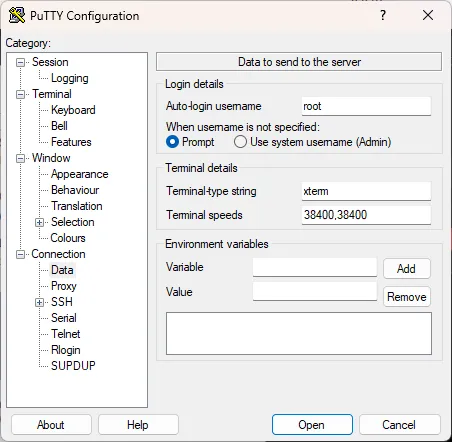
Set the Username: In the left-hand sidebar, navigate to Connection > Data. In the Auto-login username field, type root.
Link your .ppk file to authenticate your session:
- Navigate: In the left sidebar, go to Connection > SSH > Auth > Credentials.
- Browse: Click Browse... next to the "Private-key file for authentication" field.
- Select Key: Choose the .ppk file you saved during setup.
- Connect: Return to the Session tab, give it a name, click Save, and then click Open.
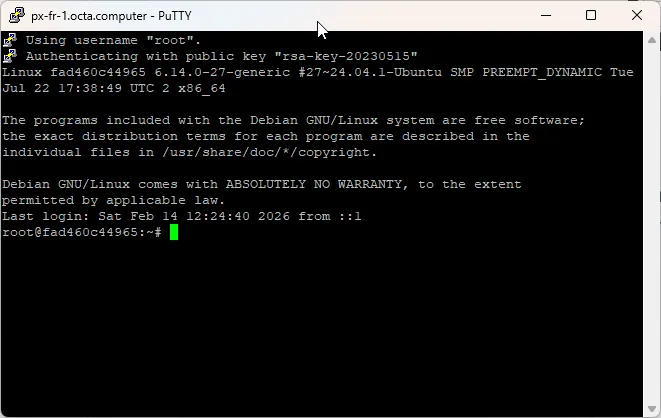
If you've done everything correctly, a new session will launch and automatically log you in.