Connecting via Termius
Termius offers a modern, cross-platform interface for managing your SSH connections. Follow these steps to get started:
Open Termius: Log in and navigate to the main dashboard.
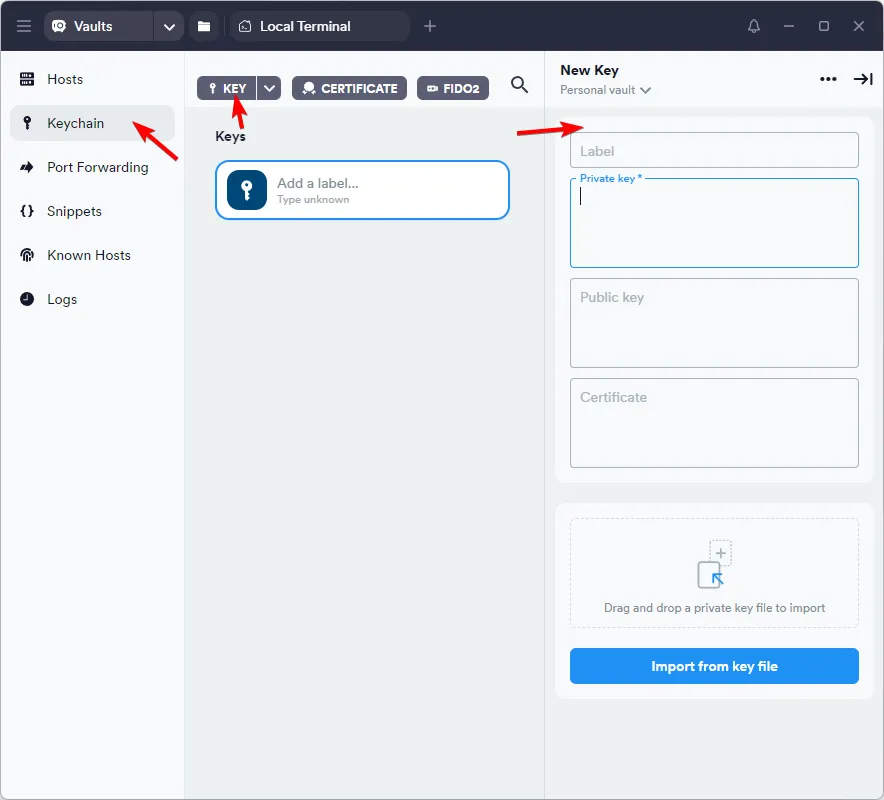
Access Keychain: From the left-hand sidebar, select Keychain. This is where your security credentials are stored.
Add Your Key: Click the + New Key button to open the configuration panel.
Import Credentials: * Label: Give your key a recognizable name (e.g., "OctaSpace-Key").
- Private Key: Click Import from file to upload your private key, or paste the key text directly into the field.
Key Format: Unlike PuTTY, Termius can handle standard OpenSSH keys directly. If you have a .key or .pem file, you can upload it here.
With your key added to the Keychain, you are now ready to create a new host and connect.
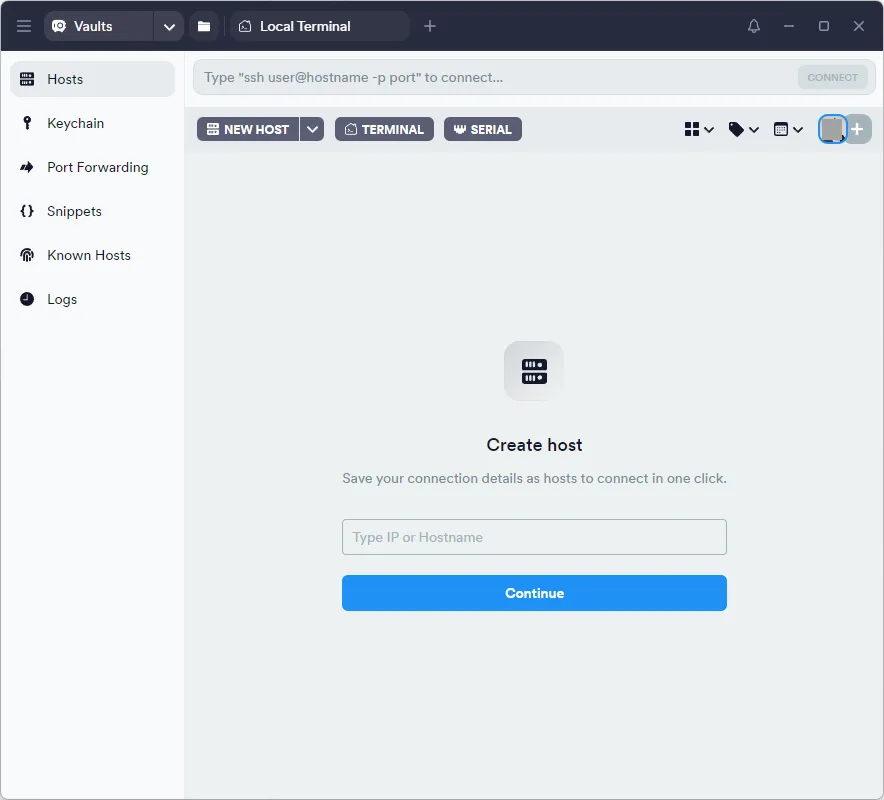
- Create New Host: In the Termius sidebar, click Hosts and then + New Host
- Enter the Host Name: In the Hostname field, enter the address provided in your session details.
Note: Do not include "root@" in this field. For example, if your details show [email protected], only enter px-fr-1.octa.computer.
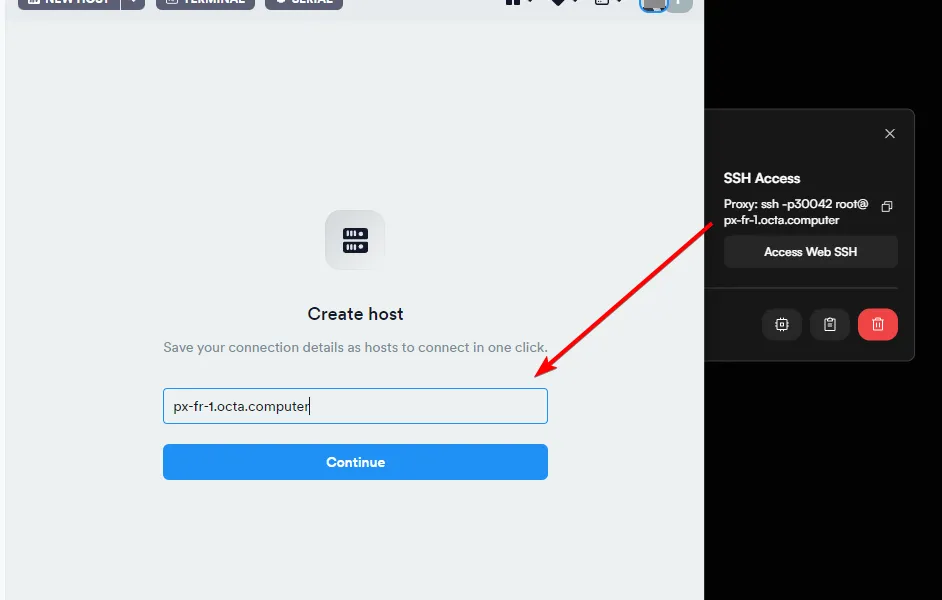
Configure Port & User: * Port: Change the default 22 to the specific port provided on your Sessions page (e.g., 30042).
- Username: Enter root.
Attach Key: Scroll down to the Keys section, click Select from Keychain, and choose the key you created in the previous step.
Double-Check: Ensure the port number matches your active session exactly. If the port is incorrect, the connection will time out.
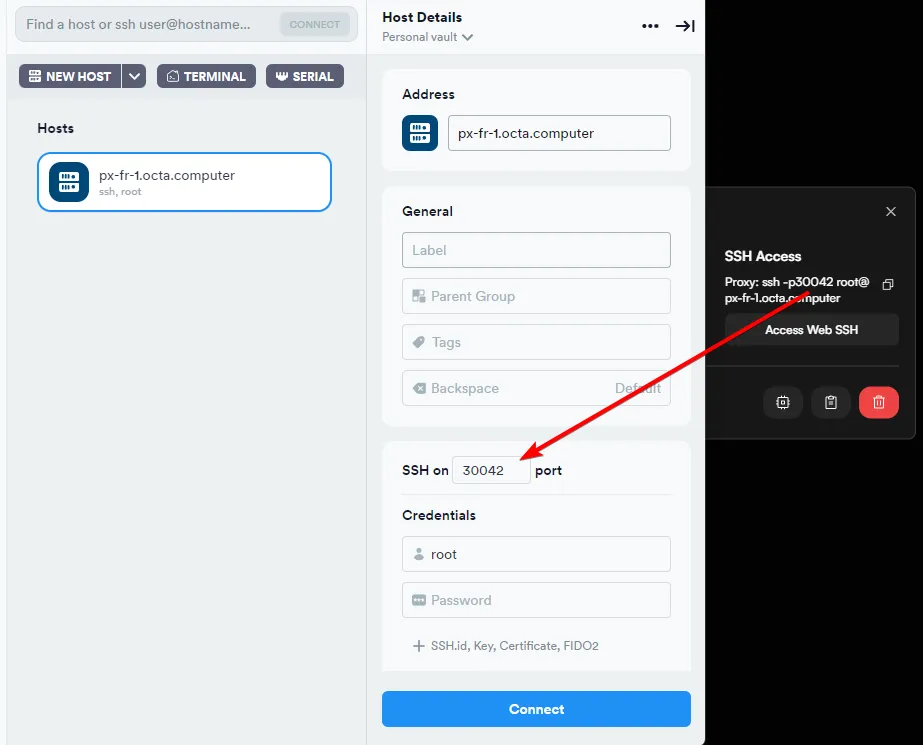
Once you've done all the steps, click Connect.
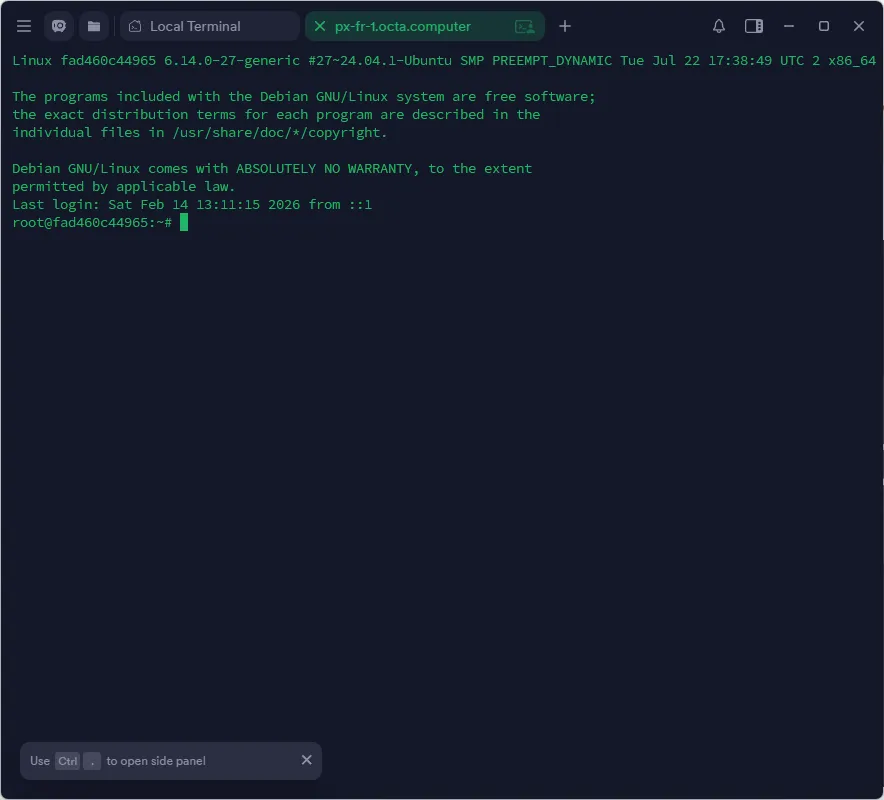
If you've setup everything correctly, you should see your session screen as below.