Nexus prover
To start farming Nexus, go to https://marketplace.octa.space/ and choose"Mining" category and select "Nexus"
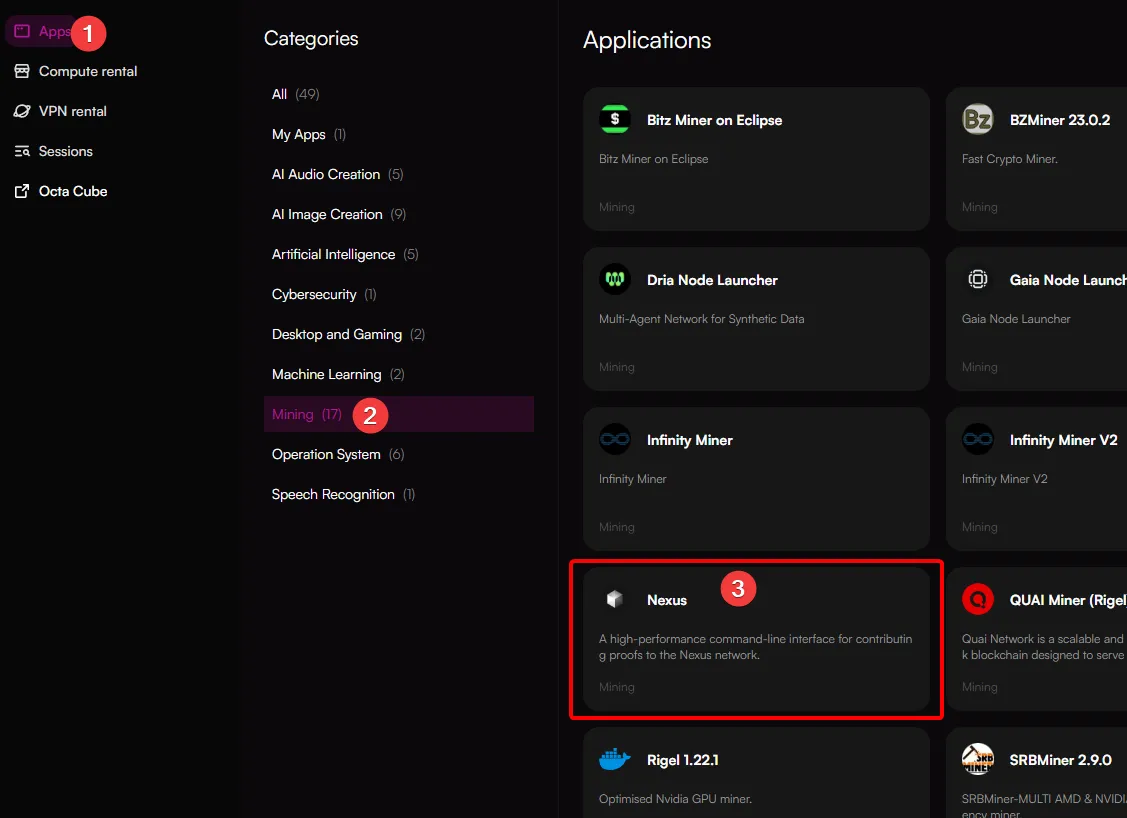
You will then be redirected to the node selection page. While you can choose a node with a GPU and CPU combination, Nexus prover nodes utilize CPU mostly.
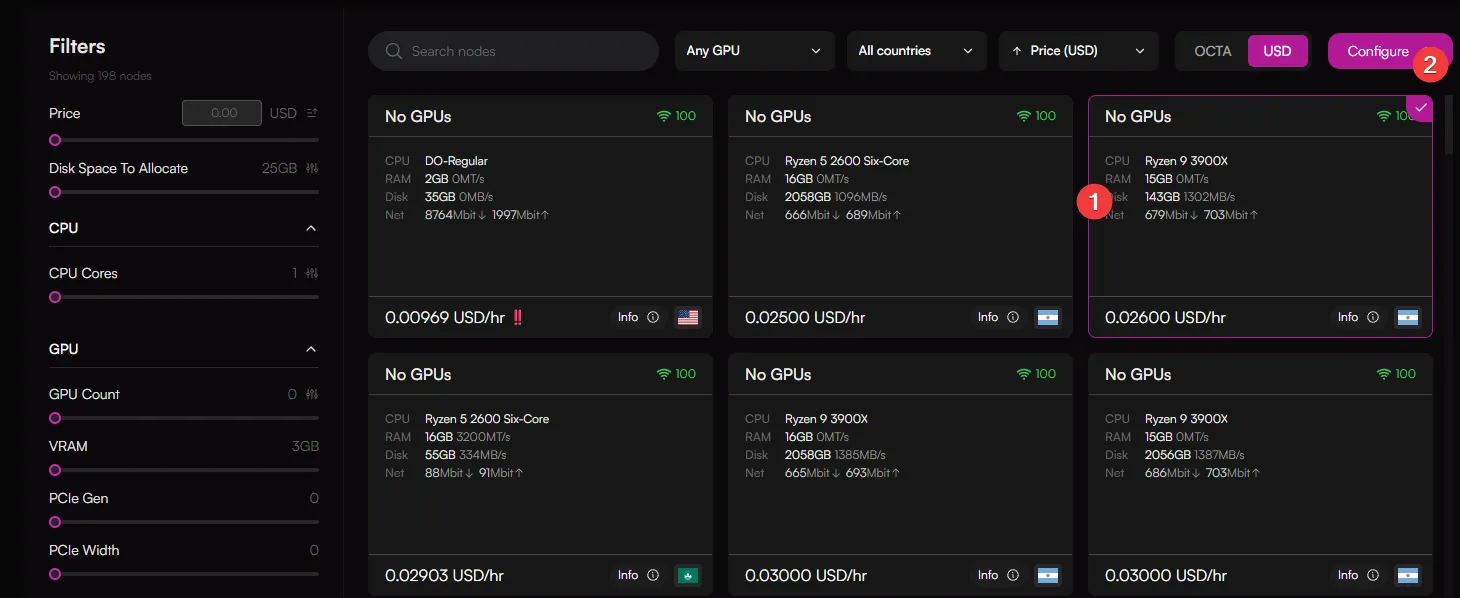
Choose a node and click configure.
You will be redirected to the configuration page. Here you will need to paste your node ID. To obtain a CLI node ID. Go to: https://app.nexus.xyz/nodes and generate one then paste
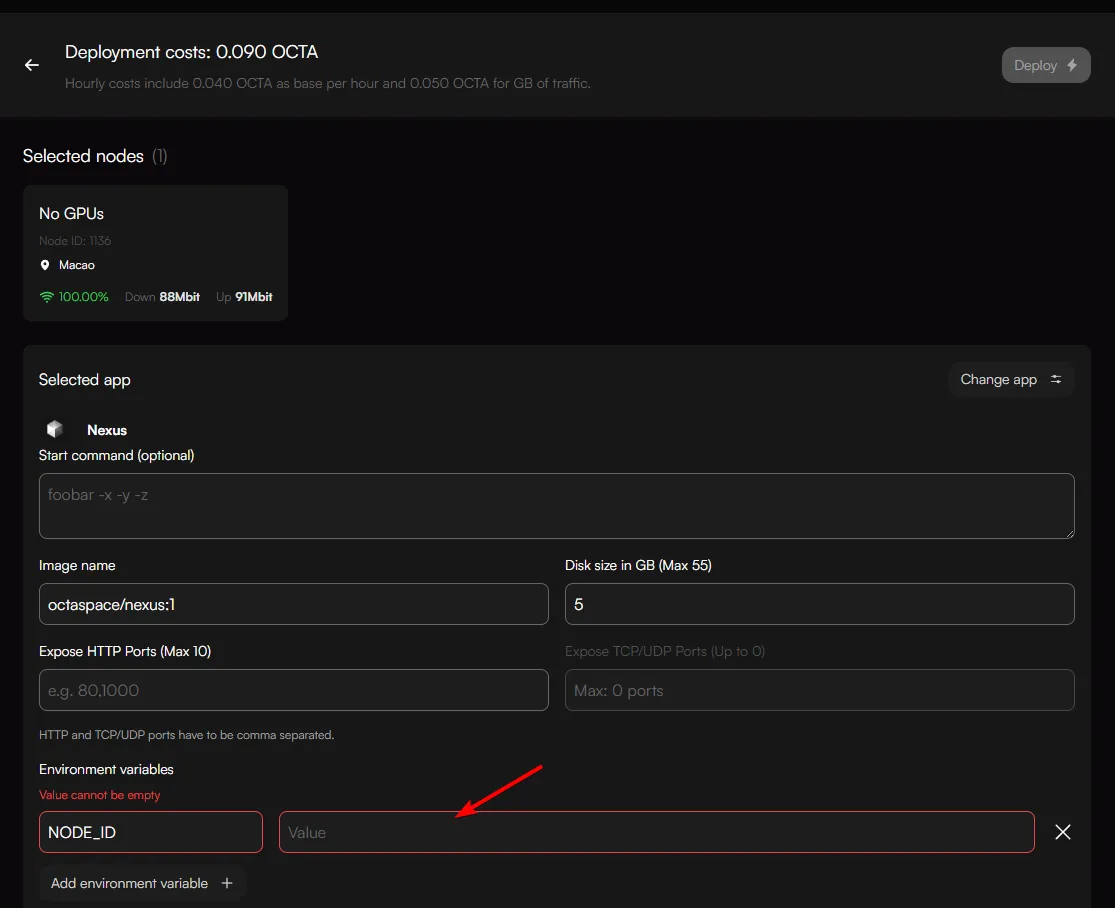
Then click "Deploy"
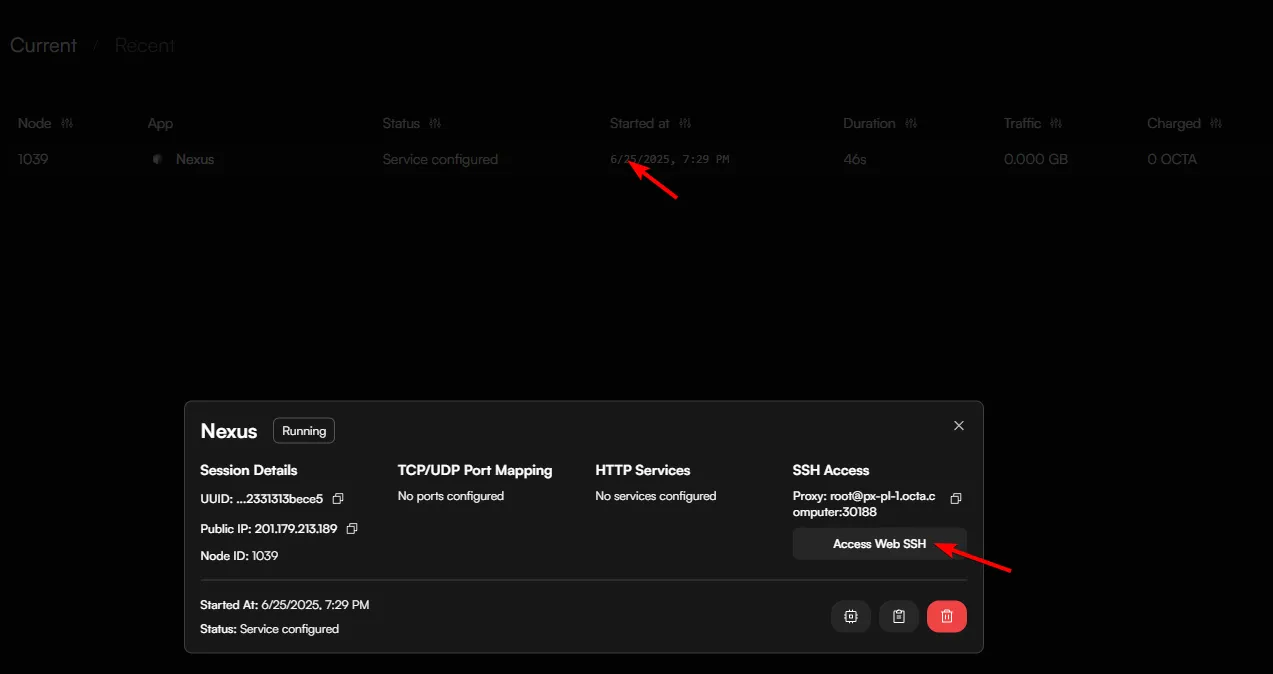
Once you've clicked on deploy, it will take a while (The service takes a while to load initially) and will show this status (This is normal):

Wait until status shows "Service Configured"

Then click on the session and in the pop-up window click "Access Web SSH"
You will be presented with this screen:
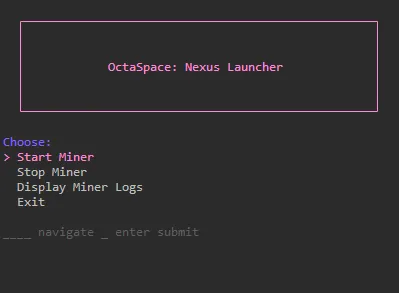
Choose "Start Miner" which will start the miner.