Virtual Machines (KVM)
Overview
Virtual Machine instances are recommended when Docker containerized environments do not satisfy application requirements, such as the need for direct GPU access or complete Linux operating system functionality, including systemd or Docker.
Since users have direct access to the GPU during rental, they can modify parameters such as memory and core clocks, as well as the power limit.
Configuration
Hardware requirements
- The machine must be a bare-metal system rather than a virtual machine
- The CPU and chipset must support Intel VT-d or AMD-Vi
BIOS
Ensure that Virtualization and IOMMU are enabled in the BIOS. It is also recommended to enable Above 4G Decoding and Resize BAR Support
Operation System
The preferred operating system is Ubuntu 24.04 Server without a graphical interface. It is critical that GPU passthrough functions correctly, ensuring that no other processes have access to the GPU. Drivers for integrated graphics, such as nouveau or amdgpu should be blacklisted.
Enable VM
By default, the VM feature is enabled during node software installation. To manually check or enable it, run the following command:
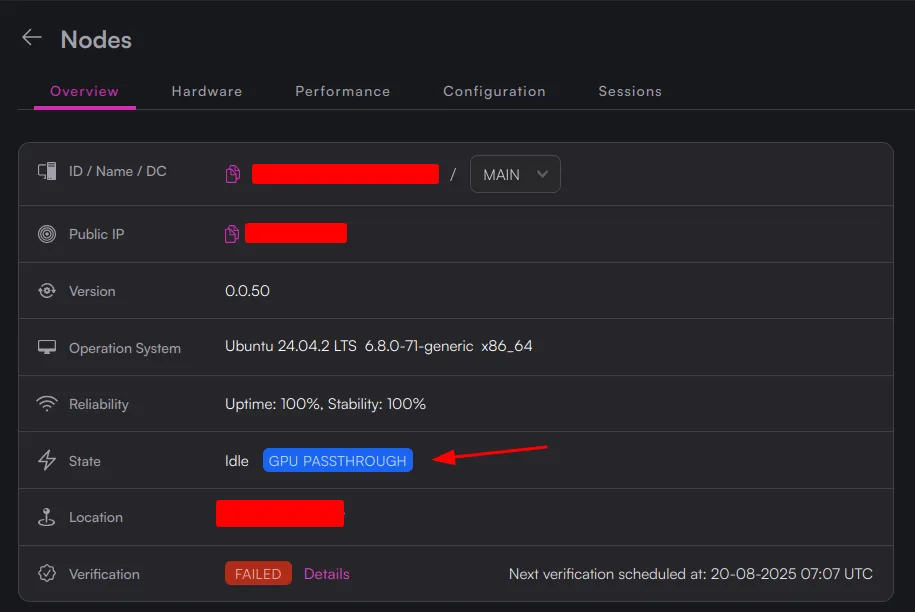
curl https://install.octa.space/vm | bashIf the VM and GPU passthrough are configured correctly, this will be indicated on the node page in CUBE: