Launch Nodes
The Launch Render Nodes page is your command center for scaling your rendering power. Found under Render > Launch Nodes in the Cube portal sidebar, this page allows you to browse all available decentralized nodes across the global network and instantly lease them to handle your queued or running projects.
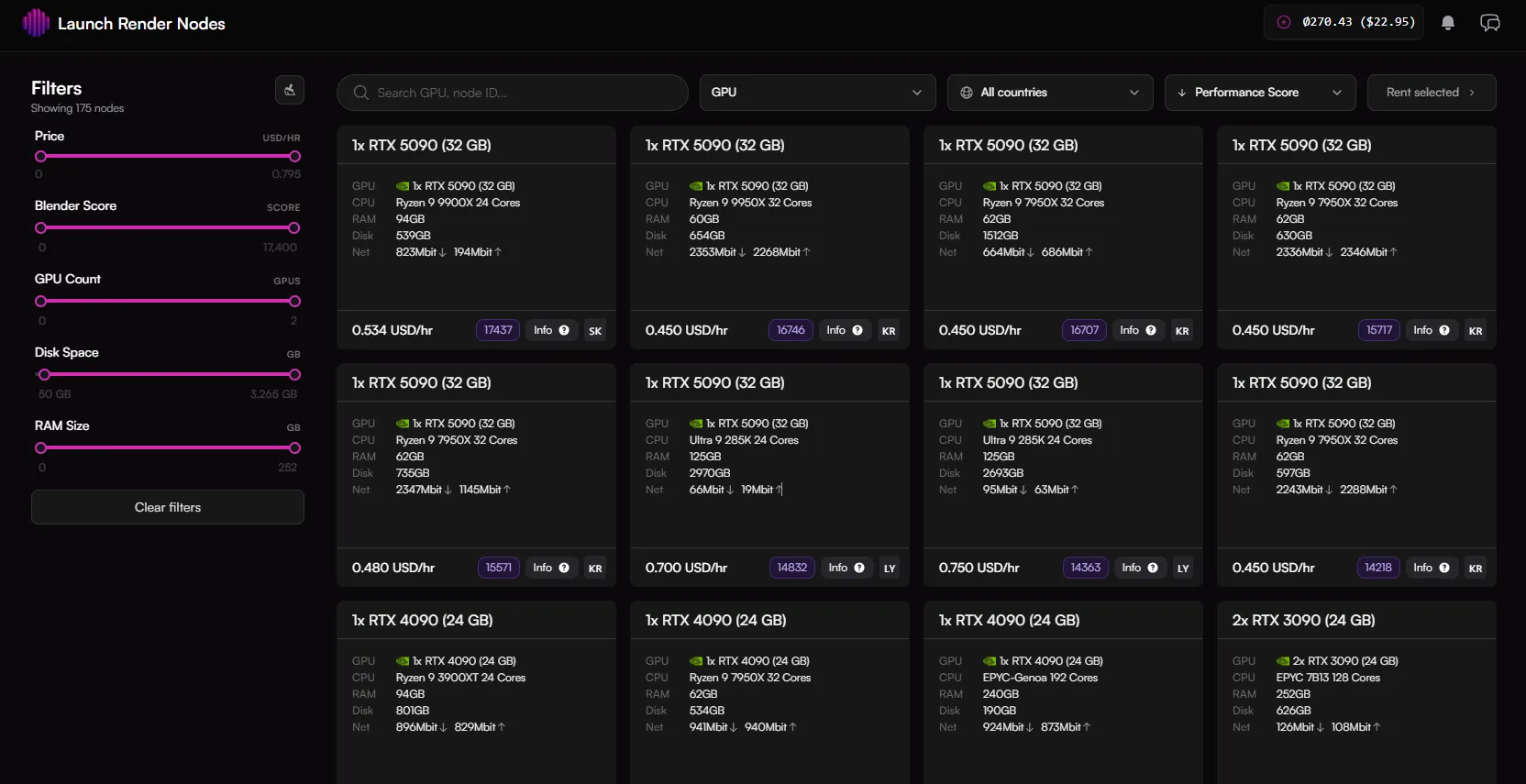
Left Filter Sidebar
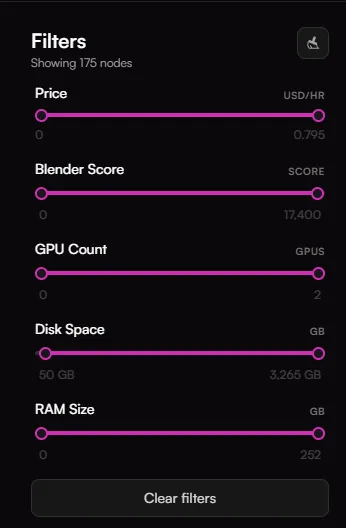
When dealing with hundreds of distributed machines, you can use the sidebar controls to isolate the exact hardware configuration your scene needs:
- Price (USD/HR): Adjusts the budget range to filter out nodes that exceed a specific hourly rental price.
- Blender Score: Filters nodes based on their benchmark performance score within Blender execution environments.
- GPU Count: Restricts the grid to show only single or multi-GPU setups.
- Disk Space (GB): Ensures the allocated nodes have enough high-speed storage capacity to download your unpacked project files.
- RAM Size (GB): Filters host system memory to accommodate heavy geometries, simulation caches, or complex texture sets.
- Clear Filters: Instantly resets all slider parameters to the network maximum default settings.
Top Search and Sorting Controls
The top navigation layout provides granular parameters for real-time querying and rapid deployment:

- Search Input Field: Type a specific node ID hash or narrow down selections by typing custom criteria directly.
- GPU Dropdown Menu: Expands into a comprehensive index of available graphics hardware across the network (e.g., specific models like RTX 5090, RTX 4090, RTX 3090, etc.). It displays the exact number of active nodes and variations available for each hardware model.
- Geographic Filters ("All countries"): Restricts node allocation to specific country regions to minimize data ingestion latencies.
- Sorting Dropdown: Reorders the node list view according to Price (USD) or Performance Score in ascending or descending arrangements.
Node Grid and Rental Execution
The center stage of the interface displays individual node cards containing absolute operational specifications for each server instance on the network.
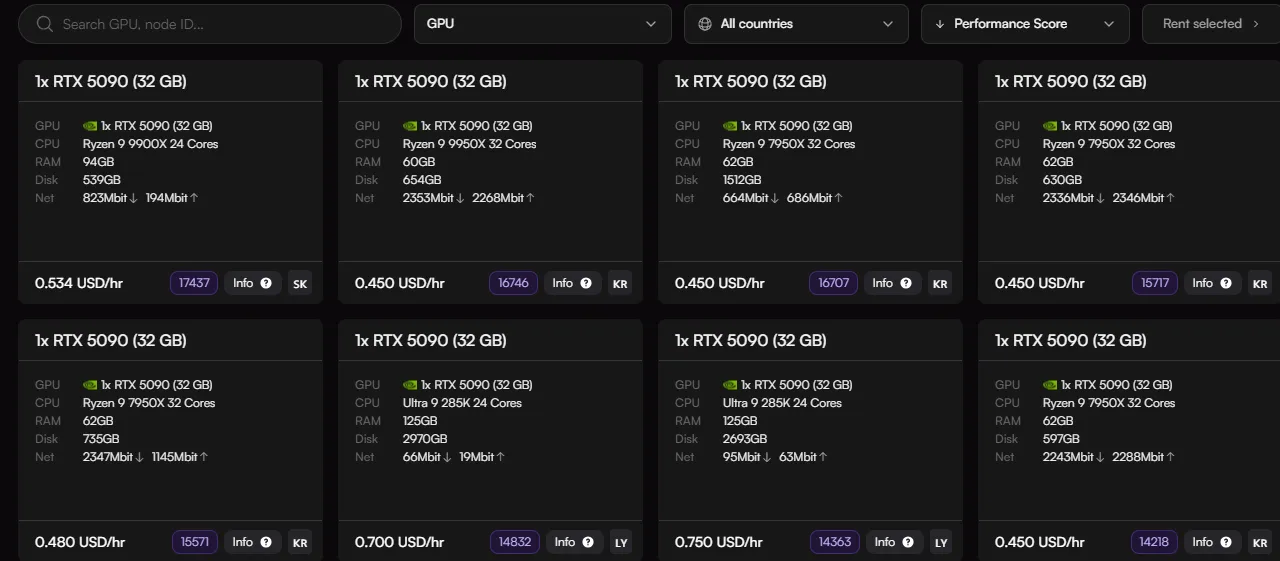
Node Configuration Cards
Each card provides a transparent technical specification readout:
- Header: Displays the primary rendering unit configuration (e.g., 1x RTX 5090 (32 GB)).
- Hardware Breakdown: Provides clear details on the GPU architecture, host CPU model and core count, total system RAM, available local Disk space, and network throughput bandwidth (Net) with explicit download and upload speeds.
- Hourly Rate & Score: Displays the exact price per hour in USD alongside the node's verified system performance rating badge (e.g., 17437).
- Info & Region Code: Hovering over the info icon provides extra machine details, while the two-letter suffix indicates the country hosting the node (e.g., SK for Slovakia, KR for South Korea).
Leasing Nodes
To build your decentralized rendering cluster:
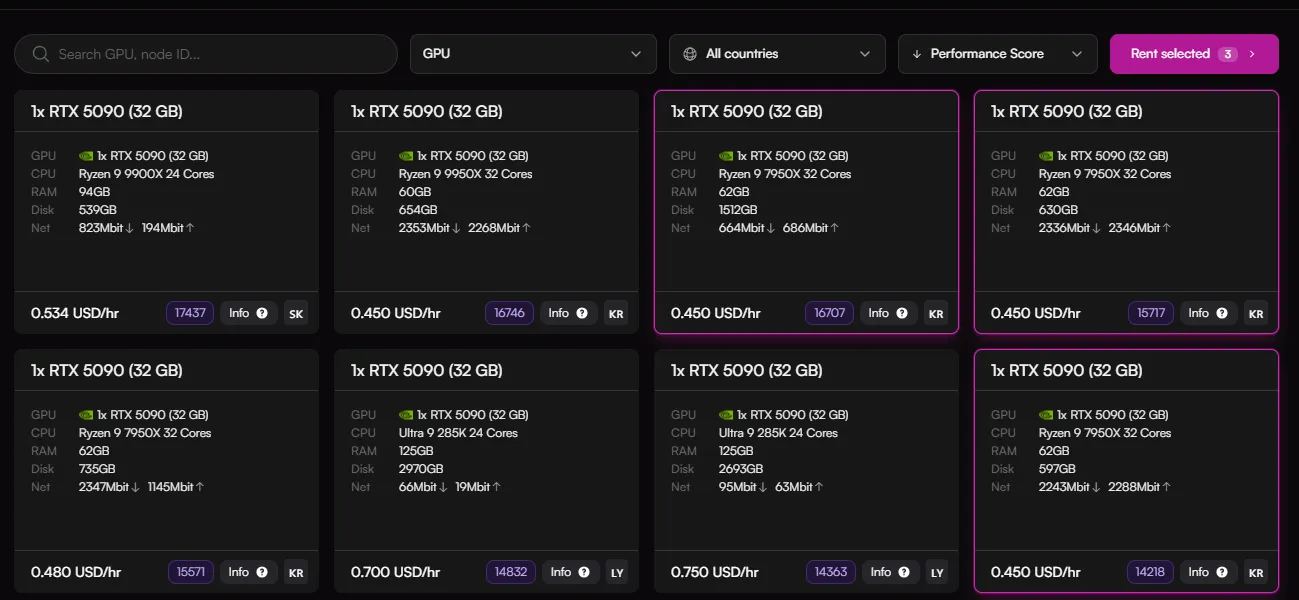
- Select one or more hardware cards. Clicking a node card gives it a bold pink selection border.
- The global action button at the top right dynamically updates to track your selections (e.g., Rent selected (3)).
- Clicking Rent selected deploys the systems, instantly binding the leased computing power to render your project.